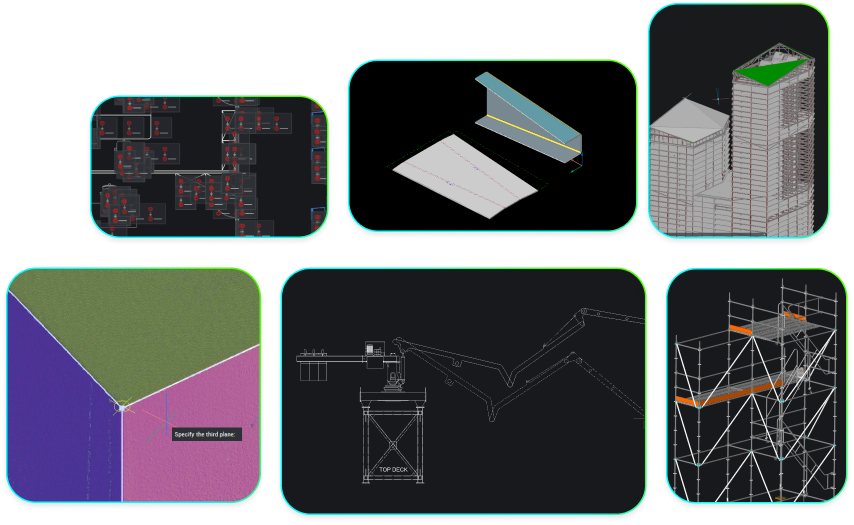
Octave BricsCAD V27 has arrived, with new features and improvements that help you get more done with less effort. This release builds on the tools and workflows you already know, with a focus on making everyday tasks faster, simplifying repetitive work and helping you work more easily with different types of design data.
So, what can you expect from V27? Let's take a look at some of the highlights.
Spend less time on everyday drafting tasks
Even small improvements can make a big difference when you're using the same commands throughout your day. BricsCAD V27 brings faster performance to constraint-heavy 2D drawings, along with improvements to familiar tools like Quick Dimension (QDIM) and Drawing Health.
Quick Dimension now supports more drawing scenarios and gives you greater control without leaving the command. Drawing Health can automatically check drawings when you open them and recommend repairs to help keep your files running smoothly.
You'll also find that Dynamic Input now lets you enter values directly beside your cursor, and improvements to Tool Palettes and the Settings dialog make BricsCAD easier to navigate and customize.

Work more easily with different design data
Working across different CAD platforms and file formats is a familiar challenge for many designers and engineers. BricsCAD V27 makes it easier to bring external data into your projects. STEP, IGES and FBX import capabilities are now included in BricsCAD Pro, while the Mechanical toolset includes expanded mechanical CAD translation capabilities.

More powerful tools for specialized workflows
V27 also introduces improvements for teams working in mechanical design, BIM and land surveying.
For mechanical designers, a new Sheet Metal Health panel simplifies the process of identifying and resolving issues in sheet metal models. Improvements to chamfer dimensioning also help make manufacturing documentation more efficient.

For BIM teams, enhanced IFC import capabilities make it easier to work with complex models. BricsCAD has also achieved buildingSMART IFC4 Import certification, recognizing its support for open standards and reliable model exchange across different BIM applications. New support for Autodesk® Navisworks® files and bulk property editing helps streamline coordination and project information management.

For land surveyors, improvements to point cloud processing make large datasets easier to manage, while expanded Auto Mapping capabilities help turn field data into usable CAD drawings with less manual effort.

Find the help you need with BricsCAD Assist
BricsCAD Assist continues to evolve, making it easier to find answers and guidance without leaving your CAD environment. With AI-powered assistance built into BricsCAD, you can ask questions about commands and workflows, find relevant documentation and get help exploring unfamiliar features. It's another way V27 helps you work more efficiently, whether you're new to BricsCAD or an experienced user looking to get more from your tools.

See what BricsCAD V27 can do for you
These are just some of the updates you'll find in BricsCAD V27. Over the coming weeks and months, we'll take a closer look at individual features and show you how to put them to work in your own CAD workflows.
In the meantime, explore the full range of BricsCAD V27 features and read a more detailed overview of the release in our newsroom.
Ready to try V27? Download BricsCAD today.