Bricsys 24/7 Mobile App
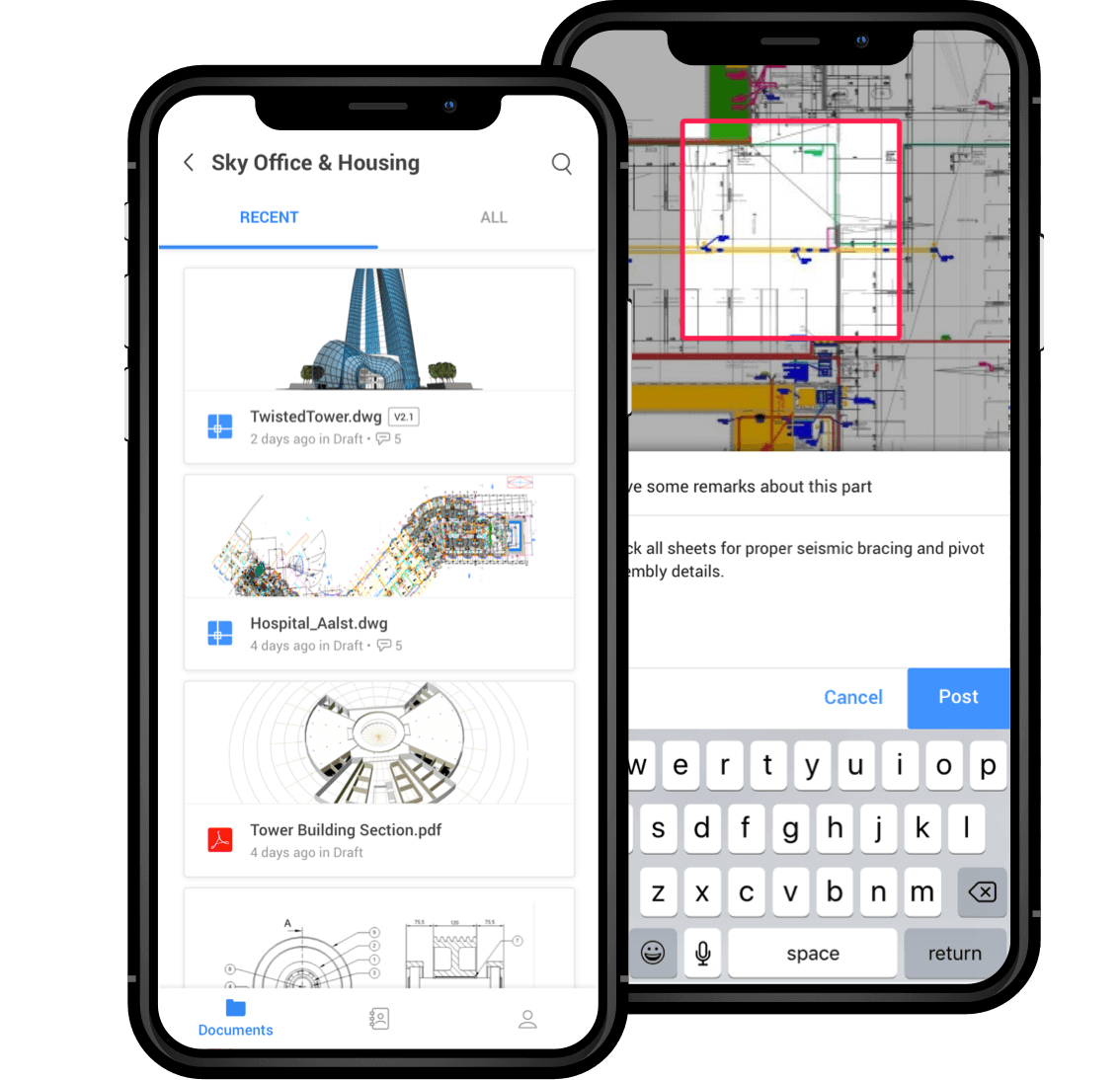
Upload, view, markup and comment on 2D drawings, supporting over 70 file formats. Upload and view any file when you’re at the office, in the field or on the road. Your up-to-date projects are right in your pocket with the Bricsys 24/7 Mobile App.


Bricsys 24/7 Transfer Tool
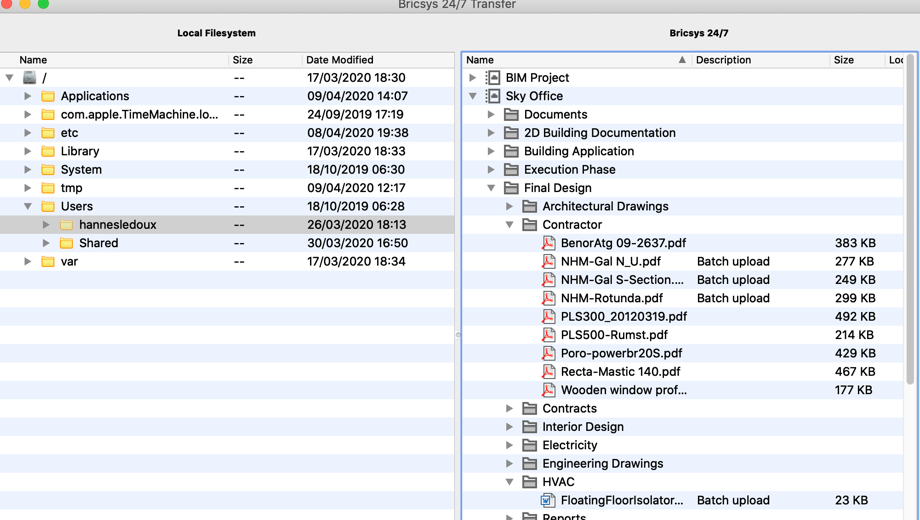
The transfer tool helps you transfer complete folder structures between your local file system and the Bricsys 24/7 service. The split screen user interface allows you to upload or download files via a simple drag and drop paradigm.
Download Bricsys 24/7 Transfer Tool for Windows
Download Bricsys 24/7 Transfer Tool for Mac
Discover third party integrations

LetsBuild
A collaborative solution for architects, contractors, developers, and engineers.

TIQ
TIQ helps you to automatically record your daily activities for timesheet management.

SMARTCHECKUPS
SmartCheckups build innovative mobile business applications that improve existing work flows in the real estate and property management industry.

C-SITE
Automates real-time image capturing, using camera feeds and time lapse video from construction sites. C-SITE turns these videos into actionable data.

KYP
Improves the communication between parties who are involved in a project by connecting people, jobs, businesses, and tools.

ARCHISNAPPER
A simple tool for field reports, safety reports and punch lists that will save you hours of time and stress.


Ecosys
An Enterprise Project Performance platform, EcoSys provides real-time insights with enterprise visibility.

BriefBuilder
Define, analyse, verify and manage all your project requirements in one place.

CooperLink
Automate the management of your construction projects from design to delivery of the as-built.