Getting started with BriscCAD
Step one: CAD download and installation

Download BricsCAD
Before You Download
Find answers to common questions, check the system requirements for your operating system, and learn about our licensing options to get started with BricsCAD.
Can you download BricsCAD for free?
Are you curious about BricsCAD? You can try BricsCAD for free for 30-days. During the trial, you can access any BricsCAD license level from BricsCAD Lite right up to BricsCAD Ultimate. If you're a student or educator, you can download BricsCAD Ultimate for free with an academic license.
How to download BricsCAD
How to install BricsCAD
What are the system requirements to run BricsCAD?
Choosing your BricsCAD license level

Descubra o BricsCAD
Software CAD para Atender às Suas Necessidades de Projeto
BricsCAD permite que os especialistas criem representações mais precisas do projeto. O CAD substituiu o desenho manual do projeto, permitindo um melhor desenvolvimento, alteração, e otimização. BricsCAD habilita que os engenheiros elaborem projetos mais precisos e os manuseiem virtualmente. Software CAD calcula como múltiplos materiais se inter-relacionam.
O BricsCAD desenvolveu o melhor conjunto de ferramentas destinadas a atender às suas necessidades de projeto. Desde os estágios iniciais do desenho 2D até os modelos 3D finais, para fabricação ou construção, nosso robusto conjunto de ferramentas facilita para um fluxo de trabalho otimizado.


O que há no BricsCAD para Você?
Familiar & DWG Compatible CAD Download
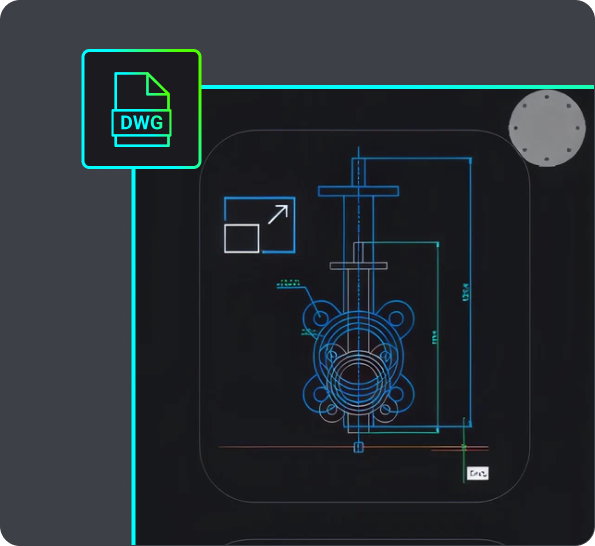
Choosing BricsCAD provides you with a compatible, dwg-based CAD software in a single download. It allows you to open, edit, and save .dwg files without conversion, ensuring seamless collaboration with users of other dwg-based CAD platforms. You can start working with any .dwg file immediately in BricsCAD, supporting your design process efficiently.
BricsCAD allows you to design freely and collaborate effectively with its .dwg compatibility. You can open .dwg files in your current CAD system, work on them in BricsCAD, save them, and then open them in other CAD software without converting the file. This also means you can share your designs with others working in other .dwg-based CAD systems and vice versa. So you can rest easy knowing that these designs will be displayed correctly.
When you receive a .dwg file from a colleague or client, you can begin working with it immediately. All versions of BricsCAD are compatible with .dwg files, so whether you're using BricsCAD® Lite, BricsCAD® Pro, BricsCAD® BIM or BricsCAD® Mechanical, BricsCAD ensures your design process is fully supported. For example, the Scan-to-BIM workflow in BricsCAD BIM allows you to create a landscape and building from scanned data, and BricsCAD creates these files in native .dwg so you can use them throughout various stages of your project.

CAD Software for 2D design
If you want to download 2D CAD software, your best bet is BricsCAD Lite! Download BricsCAD Lite and benefit from a professional, DWG-based 2D CAD software that is complete with AI-driven productivity tools. BricsCAD Lite delivers a familiar CAD environment catering to your 2D drafting needs, allowing you to create and annotate detailed drawings like floor plans easily. You also have the power to optimize drawings you may receive from a client or colleague, ensuring that your drawings are reliable and accurate and your workflow is efficient. Plus, with the capability to create customizations via LISP, BricsCAD Lite ensures that your CAD software for 2D design works just how you need it to.
3D modeling CAD software
On the hunt for new 3D CAD software? BricsCAD Pro is a powerful CAD platform with 2D drawing and 3D modeling capabilities. Go from a 3D model to a 2D drawing with commands like VIEWBASE and generate 3D models from 2D geometry with parametric and direct modeling tools. Import and work with survey data, create TIN surfaces, and generate annotated drawings. BricsCAD Mechanical is equipped with mechanical toolsets for 3D assembly inspection and 2D documentation for production. BricsCAD BIM's Scan-to-BIM workflow lets you create 3D models of buildings easily.

USO DO BRICSCAD
Explore o CAD
Ferramentas de Projeto
- Software CAD 2D
- Software CAD 3D
- Software de Renderização 3D
- Software de Modelagem 3D
- Projeto de Mecânica
- CAD Download
Conheça os Fatos
FAQ - Questões Frequentes
Como faço para atualizar para a versão mais recente do BricsCAD?
Se você possui Manutenção BricsCAD, pode baixar a versão mais recente do BricsCAD sem precisar comprar uma nova licença. Faça Log In no site da BricsCAD, acesse a seção de downloads, selecione a versão mais recente, e verá o seu novo download do CAD. Se você não possui Manutenção BricsCAD, pode adquirir a versão mais recente do BricsCAD através da Loja virtual BricsCAD - faça Log In, escolha a versão mais recente do BricsCAD, e conclua o seu pagamento.
How do I get BricsCAD Maintenance?
Can I download an older version of BricsCAD?
How to transfer my BricsCAD license to another computer?
Where can I find support for BricsCAD?
Ajuda/Help & Suporte
Obtenha ajuda para o BricsCAD
Desde o logotipo corporativo oficial da Bricsys até os últimos comunicados de imprensa, estamos aqui para ajudar.

Consulte a Central de Ajuda BricsCAD.
Você tem perguntas específicas? Pesquise através de artigos de ajuda, tutoriais e referências de comandos

Contatar Suporte
Não encontrou o que você estava procurando? Entre em contato com o Suporte da Bricsys.
Teste de 30 dias
Comece a projetar no
BricsCAD hoje!
