BricsCAD。以更低成本,交付更多成果。9 月 30 日前立享 85 折優惠⏰

取得優惠

搜尋

歡迎使用 BricsCAD
真正的 CAD 替代方案

充分利用 BricsCAD 試用版的 5 個步驟,從自訂介面到測試獨特功能,助您加速工作流程。
開始您的旅程
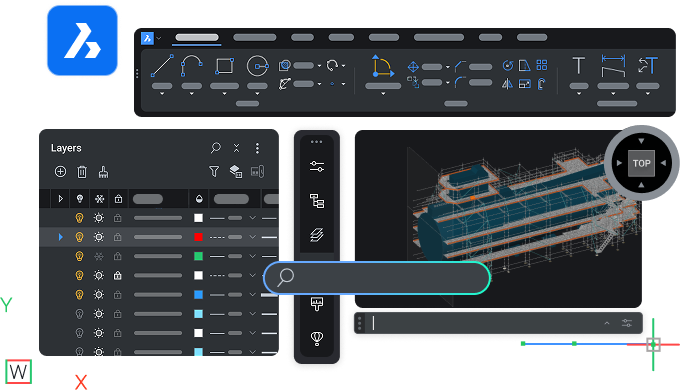
BricsCAD interface showing toolbar, layers panel, and a 3D model of a ship viewed from the top perspective.

開始

您的 BricsCAD 之旅

N°1 download - Icon - White

熟悉 BricsCAD

以您自己的步調學習 BricsCAD,瞭解主要功能。

N°2 user questions - Icon - White

尋找問題的答案

閱讀產品文件並與 BricsCAD 支援連線。

N°3 personalize workspace - Icon - White

按您想要的方式設定 BricsCAD

將客製化設定和其他檔案遷移至 BricsCAD,並個人化您的工作空間。

N°4 true CAD alternative  - Icon - White

發現真正值得信賴的 CAD 選擇

測試 BricsCAD 的獨特功能,加速您從設計到生產的流程。

N°5 rocket  - Icon - White

選擇適合您的授權

比較 BricsCAD 授權選項和產品等級,選擇最適合您的產品。

步驟 1

熟悉 BricsCAD

資源

Graphic showing AutoCAD logo vs BricsCAD logo with V26 NEW badges, highlighting a software comparison.

AutoCAD® 到 BricsCAD

AutoCAD® 與 BricsCAD 的主要異同點。

Illustration of a monitor with a refresh and lightning bolt icon, a cursor, labeled V26 NEW on dark background.

BricsCAD 要點

快速概述 BricsCAD 的主要特性和功能。

White icon of a .dwg file on a dark background, representing a CAD drawing file format.

功能比較

全面的 BricsCAD 功能清單,依產品等級分類,並與 AutoCAD® 作比較。

步驟 2

尋找問題的答案

在說明中心和部落格中瞭解更多關於 BricsCAD 的資訊,並在論壇中與其他使用者交流。
BricsCAD interface showing a dark-themed 2D mechanical drawing with a search bar overlay and cyan-green technical components.

資源

White icon of a wrench and screwdriver crossed over each other on a dark background, symbolizing tools or settings.

幫助中心

產品文件、指令參考、知識庫和其他技術資源。

White line illustration of a webpage wireframe with placeholder image and text blocks on a dark background.

博客

幫助您更快 和 更聰明地 運用 最新 工具的技巧和訣竅。

White line icons on dark background showing two chat bubbles and a content card, representing communication or messaging.

討論區

BricsCAD 使用者的社群,分享您所在領域的最佳實務 。

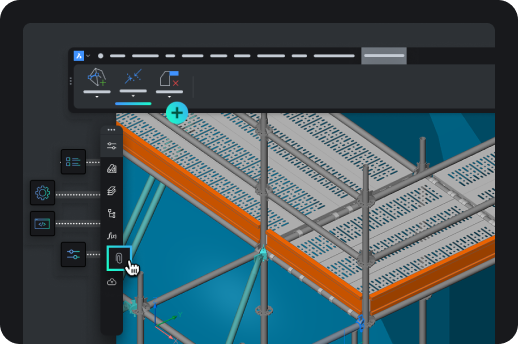
BricsCAD interface showing a 3D isometric model of an industrial shelving or scaffolding structure with toolbar icons.

步驟 3

按您想要的方式設定 BricsCAD

在工作區中加入您最喜愛的工具和設定。

資源
An arrow pointing from the AutoCAD letter A icon to the BricsCAD logo, symbolizing migration from AutoCAD to BricsCAD.

轉移至 BricsCAD

将您的自定义设置和其他文件从 AutoCAD® 导入到 BricsCAD 中。

Icon showing a browser window with a pencil, rendered in teal and green on a dark background.

自訂 BricsCAD

透過介面設定等功能,個人化您的工作空間。

Six neon icons on dark background: location pin, factory, road curve, structure frame, gear, and fan, representing CAD industry use cases.

協力廠商應用程式

整合您最喜愛的工具、擴充工作流程,並針對您的產業新增自訂功能。

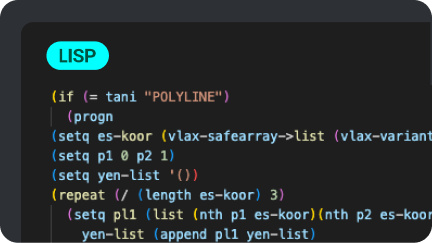
A dark-themed code editor displaying a LISP script for processing polyline data in BricsCAD, using colorful syntax highlighting.

Lisp 程序

在 BricsCAD 中遷移、建立和自訂您的 LISP 例程。

步驟 4

發現真正值得信賴的 CAD 選擇

試試 BricsCAD 的獨特功能和 AI 驅動工具,它們讓 BricsCAD 成為真正值得信賴的 CAD 選擇。
BricsCAD interface showing a 2D architectural drawing with toolbar, green square icons, and the BricsCAD logo on dark background.

資源

Six paper planes growing in size, with the largest transforming into a rocket, symbolizing growth and progression.

BricsCAD 的優勢

BricsCAD 的主要優點,從系統配置到先進的 2D 繪圖和 3D 建模工具。

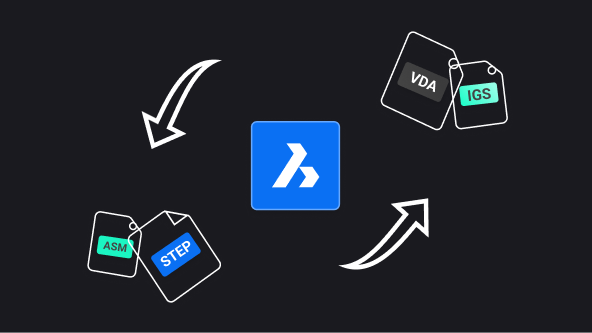
BricsCAD logo centered with arrows showing file format conversion between ASM, STEP, VDA, and IGS formats.

BricsCAD Communicator

從其他主要 CAD 軟體匯入/匯出模型和 PMI 資料。

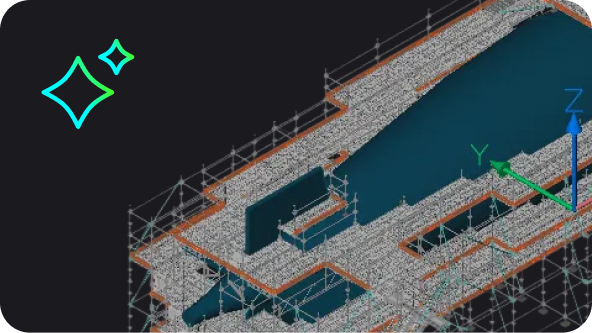
BricsCAD 3D model of a large industrial or architectural structure with scaffolding, shown in isometric view.

BricsCAD 中的 AI 驅動工具

BricsCAD 中的 AI 和機器學習如何幫助您減少點選次數、快速修正檔案並節省時間。

BricsCAD Lite purchase illustration showing a shopping cart with app icons and a Buy Now button on a product page.

步驟 5

選擇適合您的授權

比較產品等級、瞭解授權計畫,並與我們聯絡以解答您的問題。
資源

Abstract UI illustration showing a dark-themed selection panel with radio button options, one highlighted in blue with a cyan accent.

靈活的授權

探索產品等級和授權選項。

White outline icon of an open envelope with a document showing an at symbol, on a dark background.

個人化協助

仍有疑問? 聯絡我們的銷售團隊。

White icon on dark background showing a location pin with two speech bubbles containing ellipsis dots, symbolizing local support or chat.

官方合作夥伴

尋找您所在地區的官方經銷商