Getting started with BriscCAD
Step one: CAD download and installation

Download BricsCAD
Before You Download
Find answers to common questions, check the system requirements for your operating system, and learn about our licensing options to get started with BricsCAD.
Can you download BricsCAD for free?
Are you curious about BricsCAD? You can try BricsCAD for free for 30-days. During the trial, you can access any BricsCAD license level from BricsCAD Lite right up to BricsCAD Ultimate. If you're a student or educator, you can download BricsCAD Ultimate for free with an academic license.
How to download BricsCAD
How to install BricsCAD
What are the system requirements to run BricsCAD?
Choosing your BricsCAD license level

Ontdek BricsCAD
CAD software die past bij uw ontwerpbehoeften
Met BricsCAD kunnen experts nauwkeurigere ontwerpweergaven maken. CAD heeft het ontwerpen met de hand vervangen, waardoor het tekenproces kan worden verbeterd en er eenvoudig wijzigingen en optimalisaties kunnen worden toegepast. Met BricsCAD kunnen ingenieurs nauwkeurigere ontwerpen maken en deze virtueel aanpassen. CAD software berekent hoe verschillende materialen zich tot elkaar verhouden.
BricsCAD heeft de ultieme toolpakket ontworpen om aan uw ontwerpbehoeften te voldoen. Van de vroegste stadia van 2D-tekenen tot de definitieve 3D-modellen die worden gebruikt voor productie of constructie, onze robuuste reeks producten maakt het eenvoudig om een gestroomlijnde workflow te creëren.
 €330/jaar
Hoogwaardige, compatibele en beknopte 2D-tekeningen en detaillering
 €710/jaar
Professionele 2D & 3D CAD - krachtig en flexibel.
 €998/jaar
2D- en 3D-Mechanical CAD om productieprocessen te documenteren.
 €1,060/jaar
2D- en 3D-CAD voor gebouwmodellering en documentatie.
 €1,176/jaar
Geïntegreerde 2D- en 3D-CAD voor werktuigbouwkunde, bouw- en landmeetkunde.
Wat heeft BricsCAD voor jou?
Familiar & DWG Compatible CAD Download
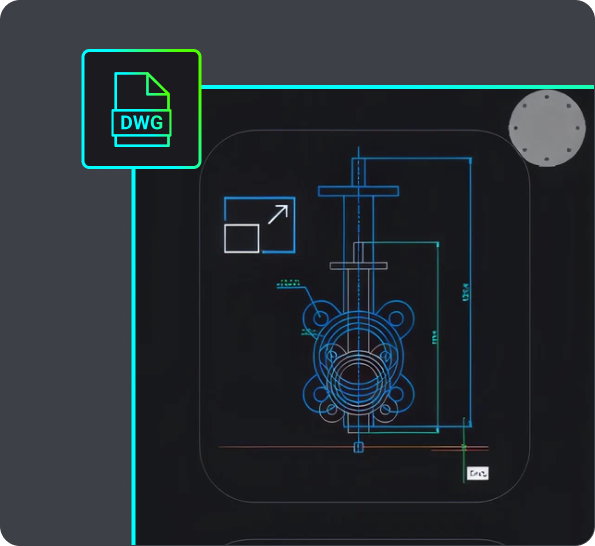
Choosing BricsCAD provides you with a compatible, dwg-based CAD software in a single download. It allows you to open, edit, and save .dwg files without conversion, ensuring seamless collaboration with users of other dwg-based CAD platforms. You can start working with any .dwg file immediately in BricsCAD, supporting your design process efficiently.
BricsCAD allows you to design freely and collaborate effectively with its .dwg compatibility. You can open .dwg files in your current CAD system, work on them in BricsCAD, save them, and then open them in other CAD software without converting the file. This also means you can share your designs with others working in other .dwg-based CAD systems and vice versa. So you can rest easy knowing that these designs will be displayed correctly.
When you receive a .dwg file from a colleague or client, you can begin working with it immediately. All versions of BricsCAD are compatible with .dwg files, so whether you're using BricsCAD® Lite, BricsCAD® Pro, BricsCAD® BIM or BricsCAD® Mechanical, BricsCAD ensures your design process is fully supported. For example, the Scan-to-BIM workflow in BricsCAD BIM allows you to create a landscape and building from scanned data, and BricsCAD creates these files in native .dwg so you can use them throughout various stages of your project.

CAD Software for 2D design
If you want to download 2D CAD software, your best bet is BricsCAD Lite! Download BricsCAD Lite and benefit from a professional, DWG-based 2D CAD software that is complete with AI-driven productivity tools. BricsCAD Lite delivers a familiar CAD environment catering to your 2D drafting needs, allowing you to create and annotate detailed drawings like floor plans easily. You also have the power to optimize drawings you may receive from a client or colleague, ensuring that your drawings are reliable and accurate and your workflow is efficient. Plus, with the capability to create customizations via LISP, BricsCAD Lite ensures that your CAD software for 2D design works just how you need it to.
3D modeling CAD software
On the hunt for new 3D CAD software? BricsCAD Pro is a powerful CAD platform with 2D drawing and 3D modeling capabilities. Go from a 3D model to a 2D drawing with commands like VIEWBASE and generate 3D models from 2D geometry with parametric and direct modeling tools. Import and work with survey data, create TIN surfaces, and generate annotated drawings. BricsCAD Mechanical is equipped with mechanical toolsets for 3D assembly inspection and 2D documentation for production. BricsCAD BIM's Scan-to-BIM workflow lets you create 3D models of buildings easily.

BRICSCAD GEBRUIK
Ontdek CAD
De feiten op een rijtje
Frequently Asked Questions
Hoe kan ik upgraden naar de nieuwste versie van BricsCAD?
Als u BricsCAD-onderhoudscontract hebt, dan kunt u de nieuwste versie van BricsCAD downloaden zonder een nieuwe licentie te kopen. Log in op de BricsCAD-website, ga naar de downloadpagina, selecteer de nieuwste versie en u zal uw nieuwe CAD-download zien. Indien u geen BricsCAD-onderhoudscontract hebt, dan kunt u de nieuwste BricsCAD-versie kopen via de Bricsys webstore – log in, selecteer de nieuwste BricsCAD-versie en voltooi uw betaling.
How do I get BricsCAD Maintenance?
Can I download an older version of BricsCAD?
How to transfer my BricsCAD license to another computer?
Where can I find support for BricsCAD?
Help & Support
Krijg BricsCAD hulp
Van het officiële Bricsys bedrijfslogo tot de laatste persberichten, wij zijn er om te helpen.

Raadpleeg BricsCAD's Help Center
Heeft u meer vragen? Doorzoek help-artikelen, tutorials en opdrachtreferenties

Contacteer Support
Niet gevonden wat u zocht? Neem contact op met Bricsys Support
30 dagen proefperiode
Begin vandaag met ontwerpen
in BricsCAD!
