BricsCAD。以更低成本,交付更多成果。9 月 30 日前立享 85 折優惠⏰

取得優惠

搜尋

簡單而強大的施工協作

Bricsys 24/7是基於雲的共同資料環境,用於案檔管理和工作流程自動化。

聯繫銷售人員
case-logo-bam
case-logo-jdn
case-logo-cordeel
case-logo-pellikaan
case-logo-willemen

什麼是 Bricsys® 24/7?

Bricsys 24/7是基於雲的共同資料環境,用於案檔管理和工作流程自動化。Bricsys 24/7提供了基於角色的安全性和無限制的使用者,以協助確保正確的檔案在正確的時間到達正確的人手中。
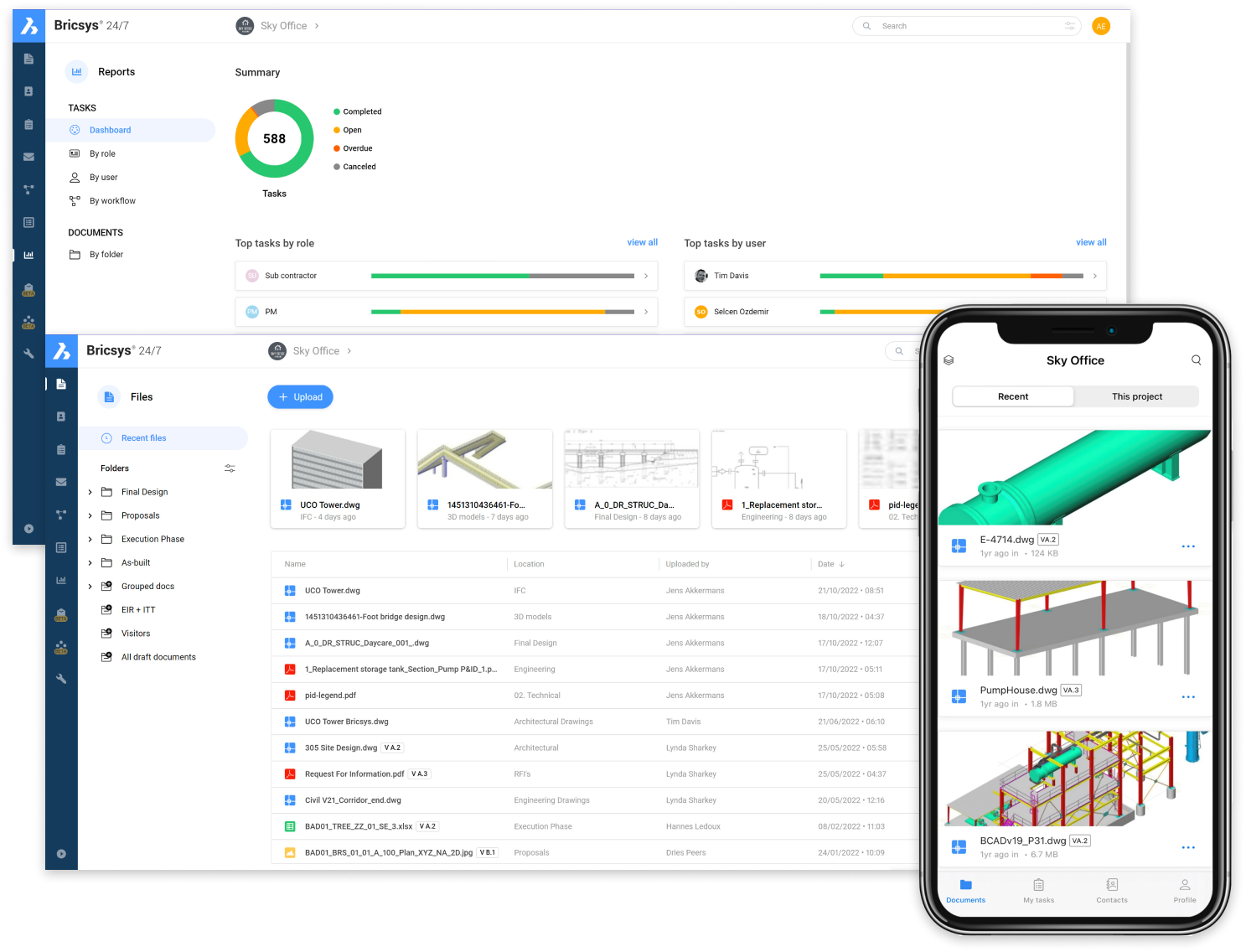
Bricsys 24/7 platform shown on desktop and mobile, displaying project dashboards, file management, and 3D CAD models.
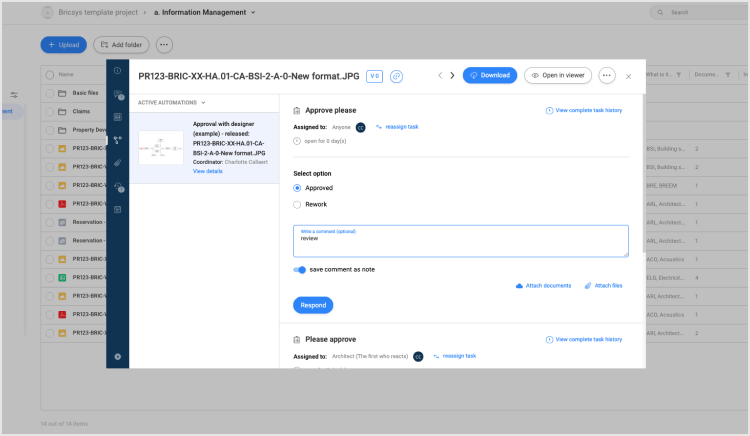
BricsCAD information management interface showing a document approval workflow dialog with options to approve or request rework.

文件管理

作為您的建築專案簡單的檔管理和託管平台。

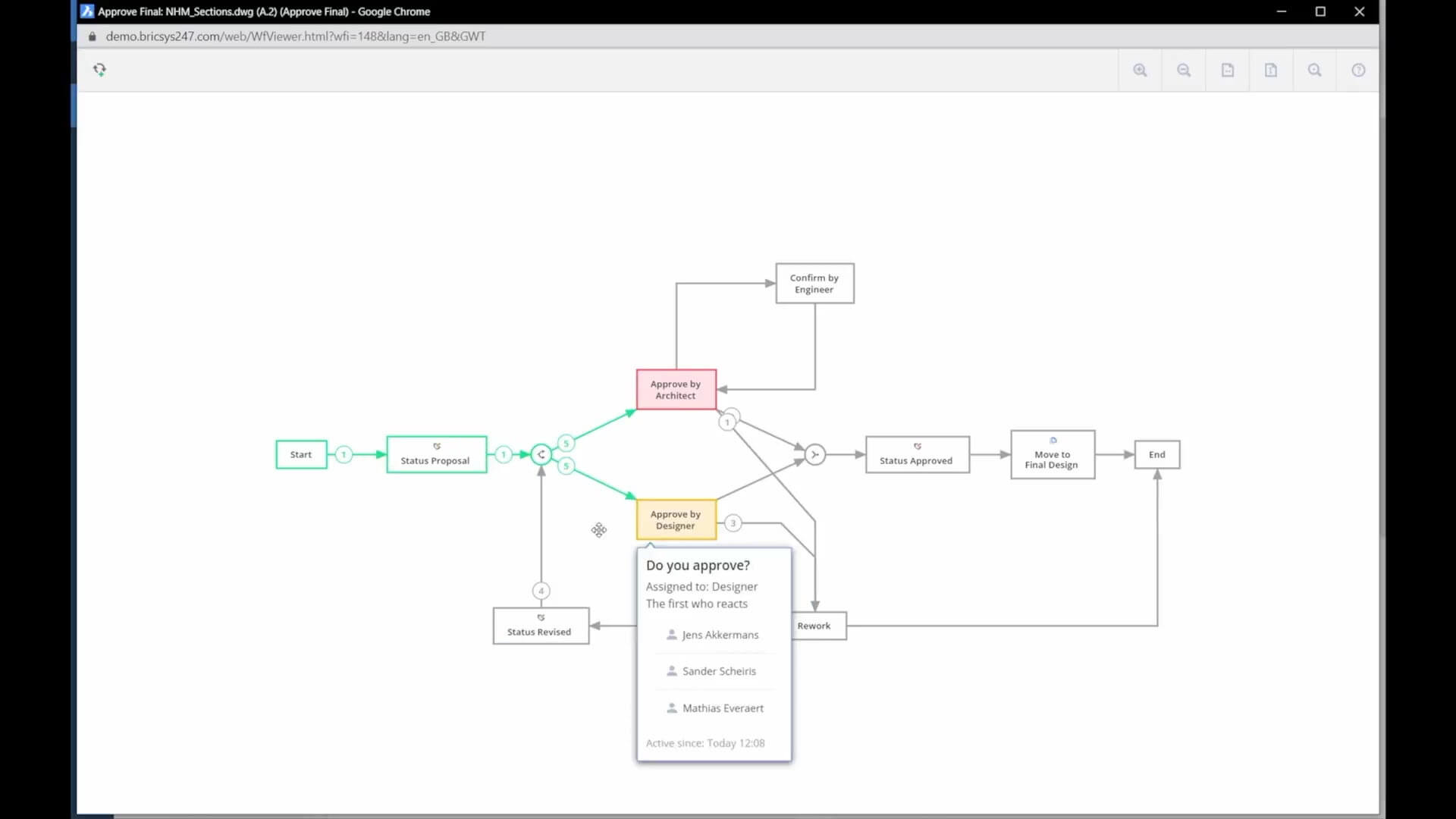
BricsCAD workflow viewer showing an approval flowchart with steps from Start to End, including a "Do you approve?" dialog box.

專案管理資訊系統

作為專案管理資訊系統,利用我們的自動化工作流程和自定義表單來處理專案管理任務。
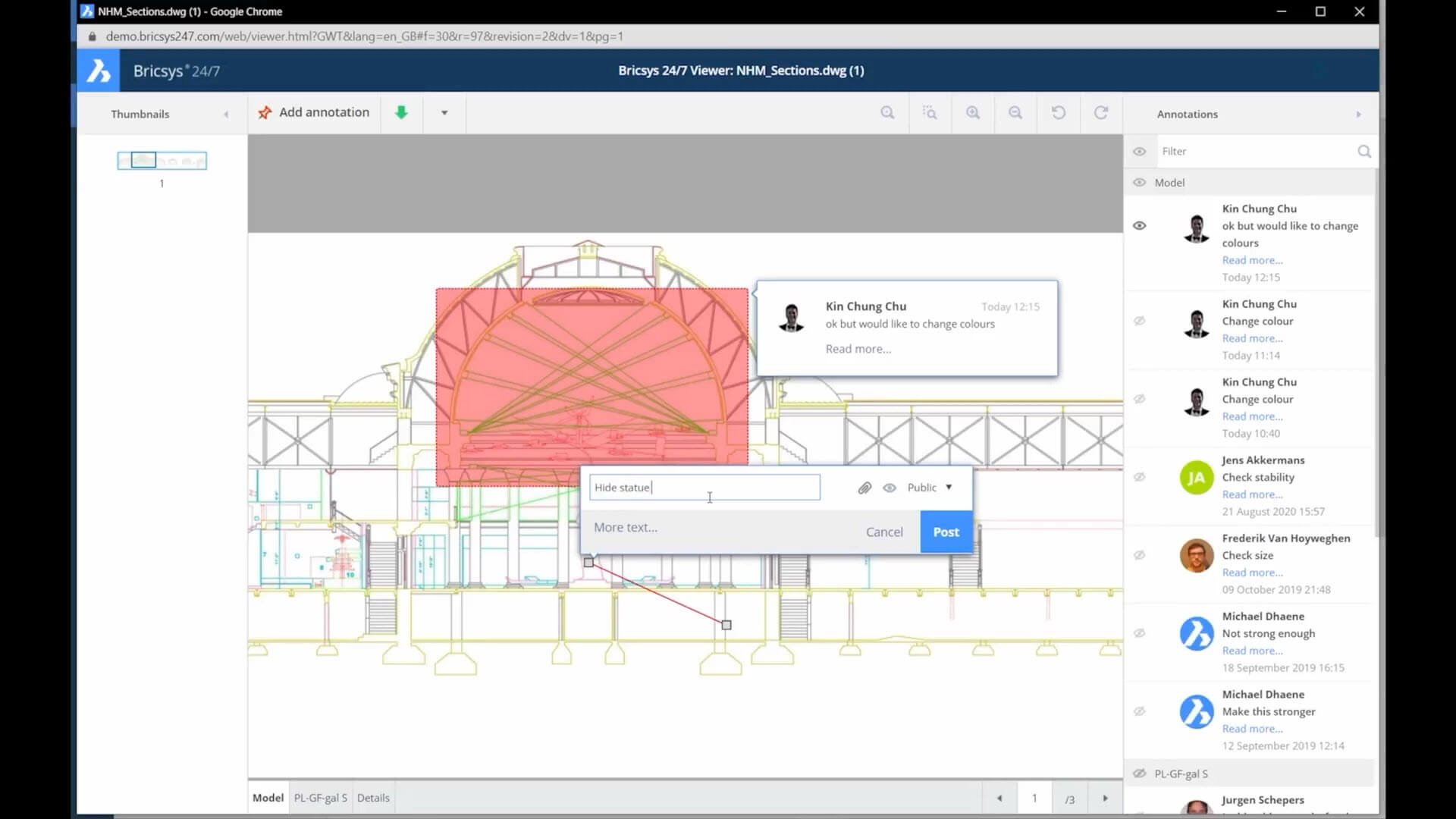
Bricsys 24/7 web viewer showing a building section drawing with annotation comments panel and an active annotation dialog box.

通用資料環境

或者作為所有合同文件、圖面和專案工作流程的共同資料環境,使所有利益相關者的透明度得到提高,併為設計和施工階段架起橋樑。

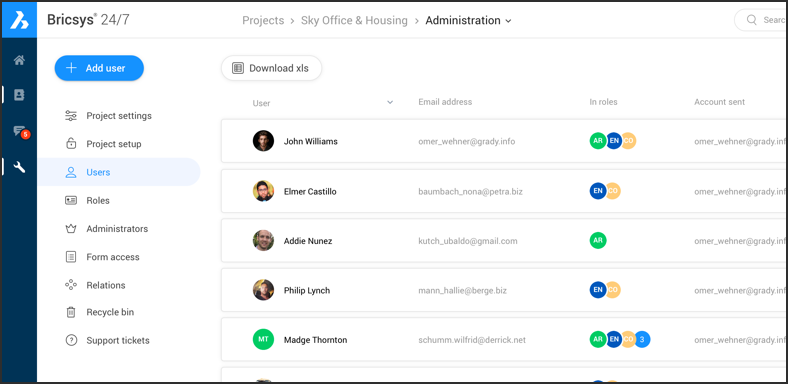
使用者和角色

對所有專案成員,如總承包商、分包商、建築師、理事會、設計師、開發商、顧問等進行基於角色的存取控制。
Bricsys 24/7 - Users and roles
Bricsys 24/7 Administration panel showing a Users list with names, email addresses, roles, and account details.

無限的專案使用者

在專案中加加無限的使用者。每個專案成員都可以存取 Bricsys 24/7 檔案存儲,其存取權限基於他們在專案中的角色。
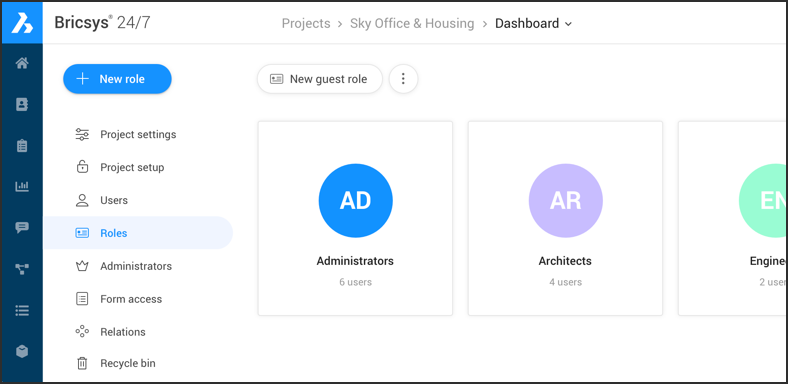
Bricsys 24/7 dashboard showing the Roles section with Administrators, Architects, and Engineers role cards listed.

基於角色的專案權限

基於角色的授權可確保每個使用者都可以存取所需的檔案、資料夾和應用程式,而不會帶來安全風險。可以使用 24/7 基於表格的管理面板可對角色進行構建。
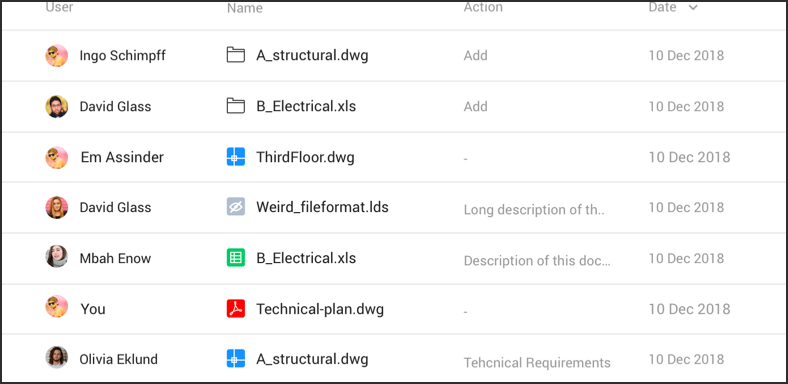
A file activity log showing users, file names, actions, and dates for shared CAD and spreadsheet documents from December 2018.

詳細的審計報告

每個檔操作都得到安全記錄和追蹤,以確保管理員和流程審核員可以獲得文件的總歷史記錄。

自動化文件工作流

建立、編輯和管理工作流程,使常見的文件管理和發佈工作自動化。

Flowchart diagram with a Start rectangle, Yes and No hexagon decision nodes, and colored square shape options branching out.

建立工作流

使用圖形工作流編輯器,工作流自動化在 24/7 中非常簡單。將文件加入到工作流資料夾會自動將它們輸入工作流。沒有更簡單的方法可以確保專案管理合規性。

分配任務

工作流中的任務可以按角色自動分配,並具有基於時間的自動上報規則。

任務狀態

任務應用為專案經理提供實時項目狀態的概述。
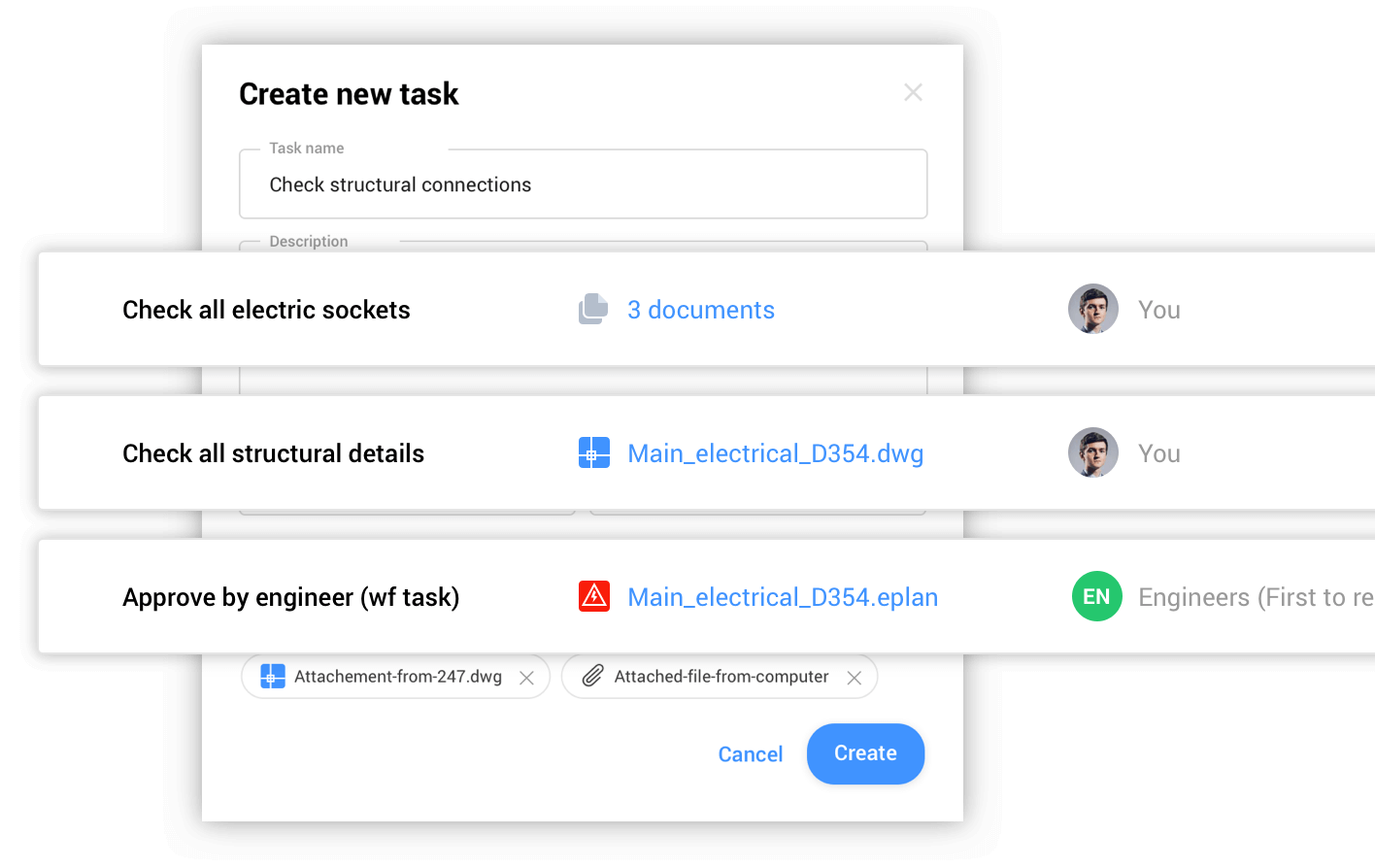
Bricsys 24/7 tasks

閱讀部落格文章

Empty state

找不到任何項目