__促销__升级至 BricsCAD V26 可节省高达 38%

了解您的选择

查找

保持与
BricsCAD 的同步

获取最新的改进并保持未来 BricsCAD 版本的资格。
立即升级
尝试最新版本
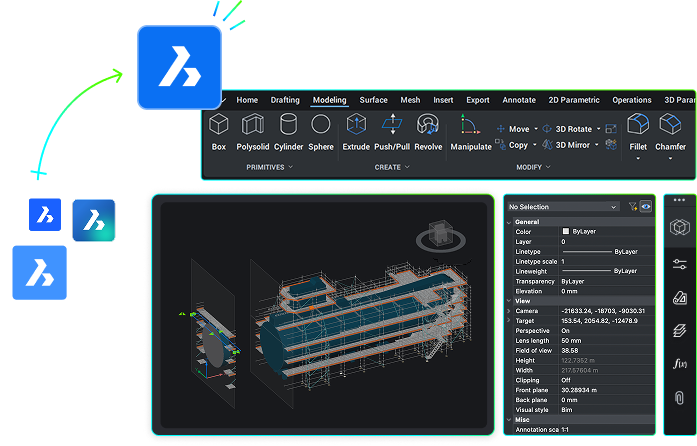
BricsCAD interface showing a 3D industrial submarine model with the Modeling toolbar and properties panel visible.

好处

为什么要升级?

利用最新工具和功能完成更多工作。

White flash icon

性能提升

使用新功能和增强功能,在机械、BIM、土木和测量工作中实现工作流程自动化。

3 stars icon - White

人工智能驱动的生产力工具

利用智能 AI 功能进行 2D 绘图和 3D 建模。

DWG file icon - White

无缝兼容

使用增强的 "绘图健康 "工具来保持 DWG 的真实性并提供准确的结果。

Help Center big icon - White

技术支持

随时向我们的专家寻求帮助。

立即升级

了解最新信息,以免为时已晚
Multiple BricsCAD icons merging into one larger icon, illustrated with a green arrow showing consolidation.

升级仅限于 三个最新的 BricsCAD 版本 。保持最新状态(或正在维护中)以保持资格。

发展

创新时间表

了解 BricsCAD 在最新版本中是如何演变的。

V22

BricsCAD V22 - 应用程式图标

42新功能

156增强功能

  • 使用智能点云工具进行高级分析。
  • 复杂设计的无缝 3D 建模。

V23

BricsCAD V23 - 应用程式图标

47新功能

165增强功能

  • 通过自动化的工程图健康管理改进设计工作流程。
  • 刷新的用户界面,更加容易导航。

V24

BricsCAD V24 - 应用程式图标

54新功能

141增强功能

  • 产品内教程可帮助您快速开始工作。
  • 新的和重新设计的功能可提高效率。

V25

BricsCAD V25 - 应用程式图标

36新功能

187增强功能

  • 改进的设计数据互操作性和人工智能驱动功能。
  • 迄今为止,BricsCAD 中的 DWG 保真度和界面熟悉度最高。

V26

BricsCAD V26 - 应用程式图标

30 新功能

212 增强功能

  • 创新技术可加快设计编辑速度,在关键设计流程上节省多达 25% 时间。
  • 对块和动态块的处理进行了多项改进。

*这些数字指的是 BricsCAD Lite 和 BricsCAD Pro。

特点

了解最新功能!

查看您一直缺少的重要新功能。

View key features:
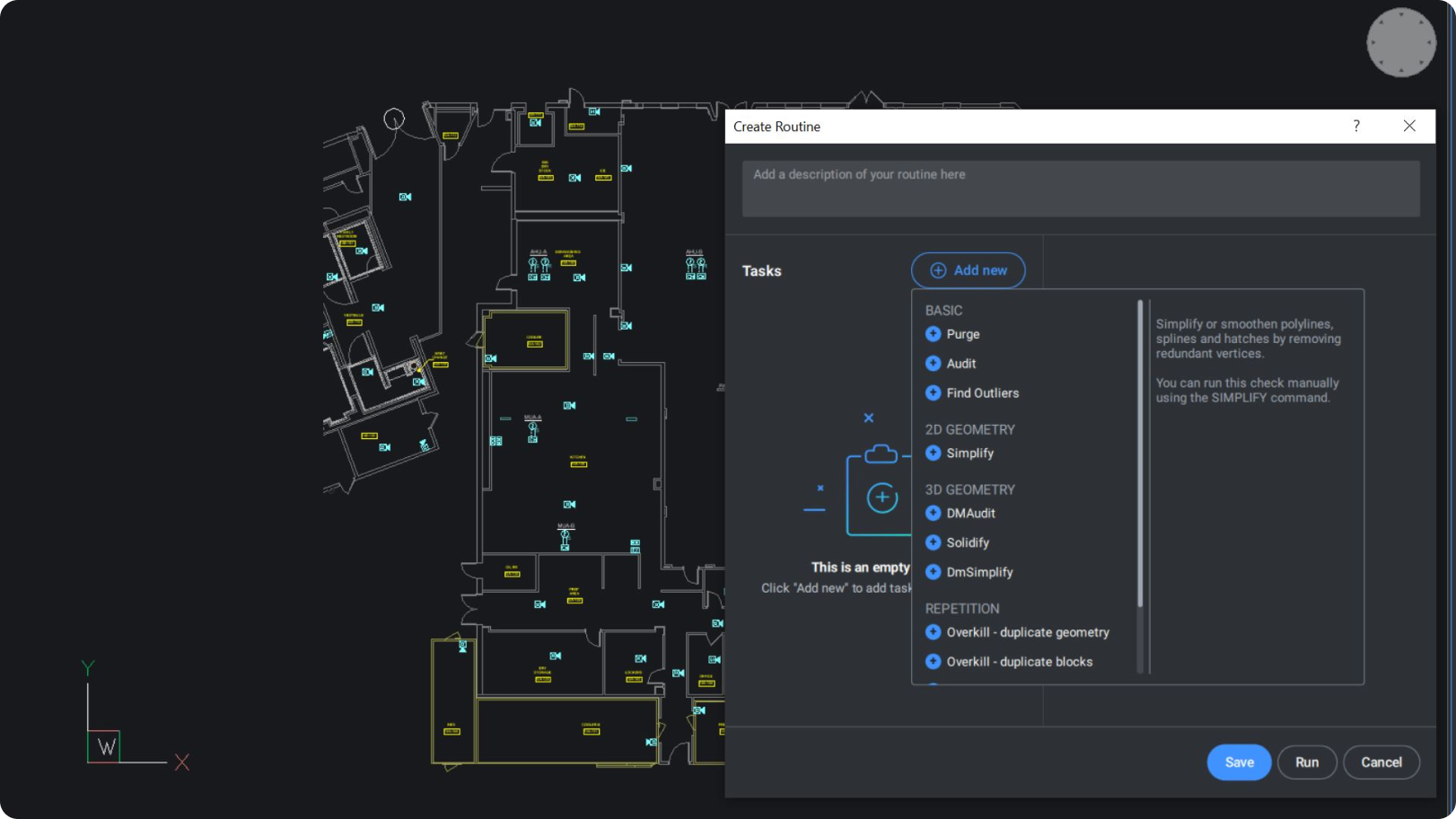
BricsCAD interface showing a floor plan drawing with a Create Routine dialog open, listing tasks like Purge, Audit, and Simplify.

Pro / Lite

V25

增强

大型图纸清理工作流程

DWGHEALTH 系统中独特的清理工作流程有助于在大型图纸中保持卓越的性能。

Bricsys 图标BricsCAD 独有的

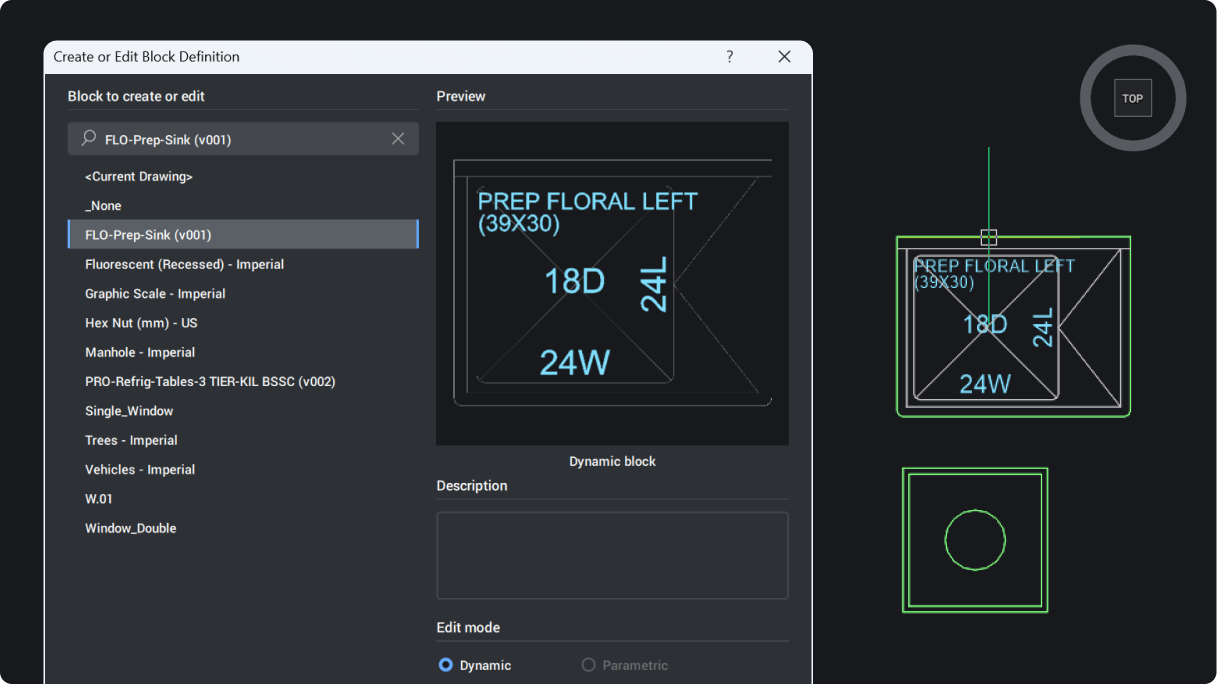
BricsCAD Create or Edit Block Definition dialog showing a floral prep sink block with dynamic block preview and block list.

Pro / Lite

V26

实验性的

动态块的夹点编辑

编辑动态块的参数和操作,以确保混合块环境中的无缝工作流程兼容性(仅适用于美国以外的用户)。
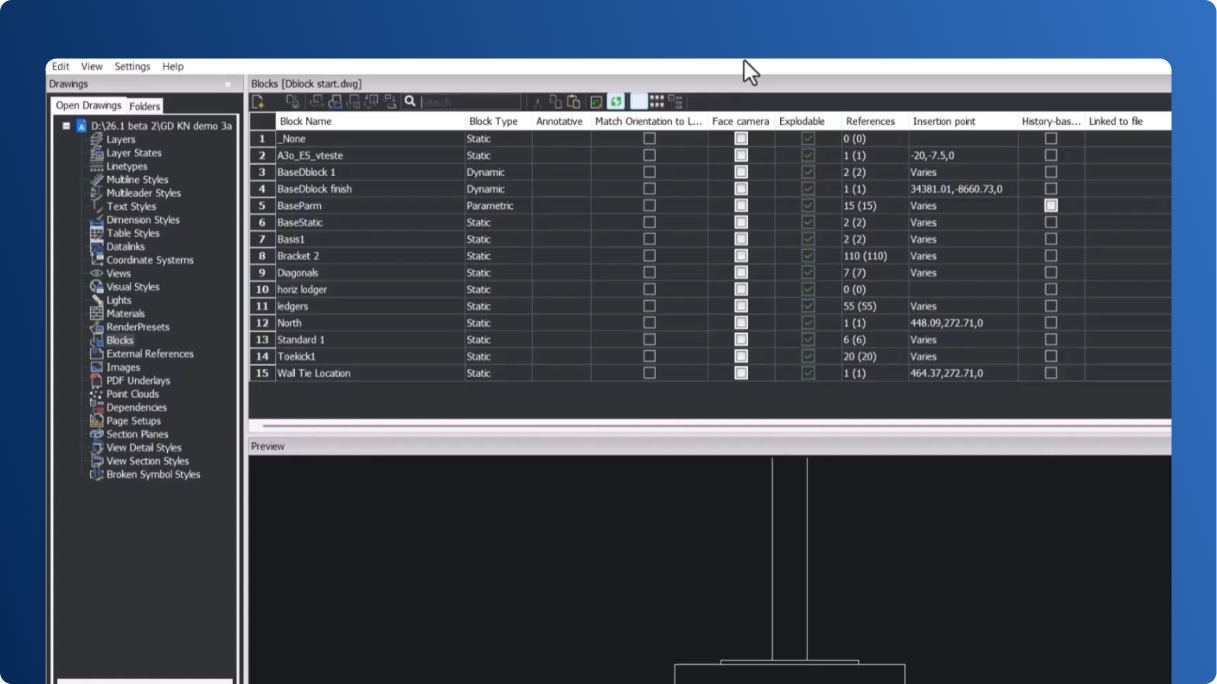
BricsCAD interface showing the Blocks panel with a list of block definitions and their properties for a DWG file.

Pro / Lite

V26

NEW

图形资源管理器块搜索

快速查找和管理大型图纸中的块,轻松识别正在使用和重复使用的块。

Bricsys 图标BricsCAD 独有的

BricsCAD interface showing a Blocks panel with a list of Imperial blocks and a right-click context menu with options like Save Block.

BricsCAD

V26

增强

在 BricsCAD 中使用动态块

在使用块插入和调整其参数时,为动态块提供一致、兼容的行为。

V26.2

BricsCAD dialog for creating or editing a block definition, showing a Fluorescent Recessed Imperial dynamic block preview.

BricsCAD

V26

实验性的

动态块的 BEDIT 功能

动态块的完整 BEDIT 功能,可实现流畅的编辑(仅适用于美国以外的用户)。
V26.2

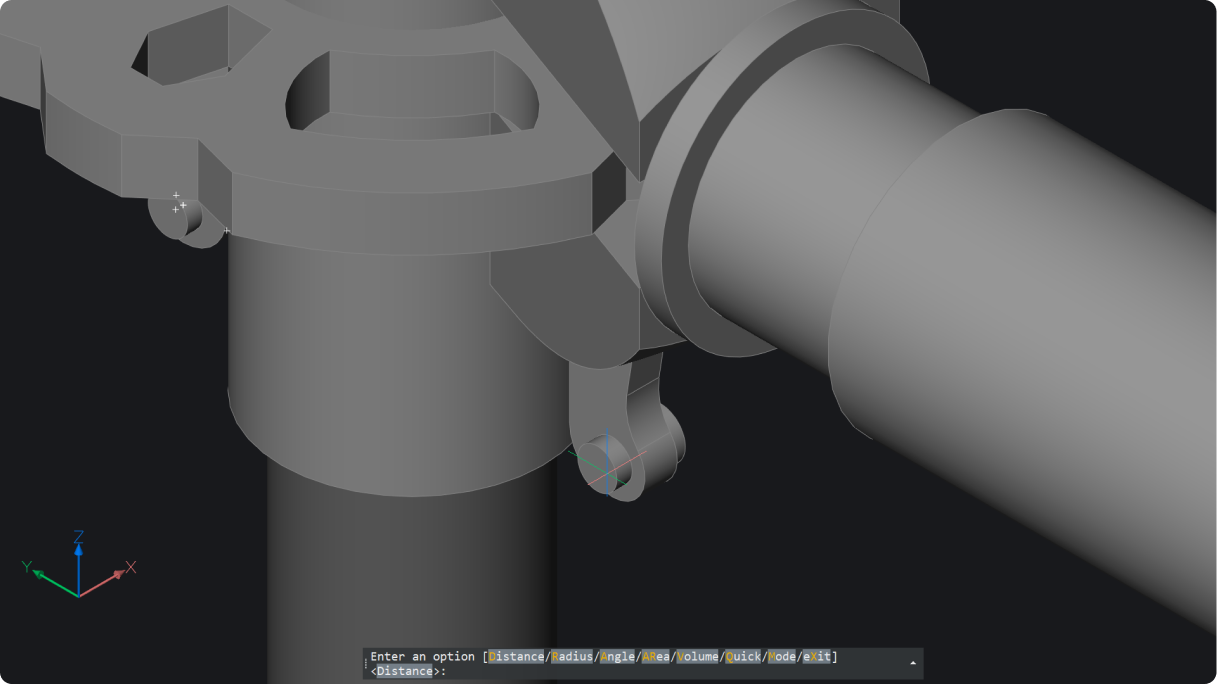
BricsCAD 3D model of a mechanical assembly with a cylindrical shaft and bracket, with a measurement command prompt visible.

Pro / Lite

V26

NEW

2D 和 3D 几何测量

测量 2D 和 3D 距离、半径、角度、面积和体积 (MEASUREGEOM)。结果显示在命令提示符和动态提示工具中。
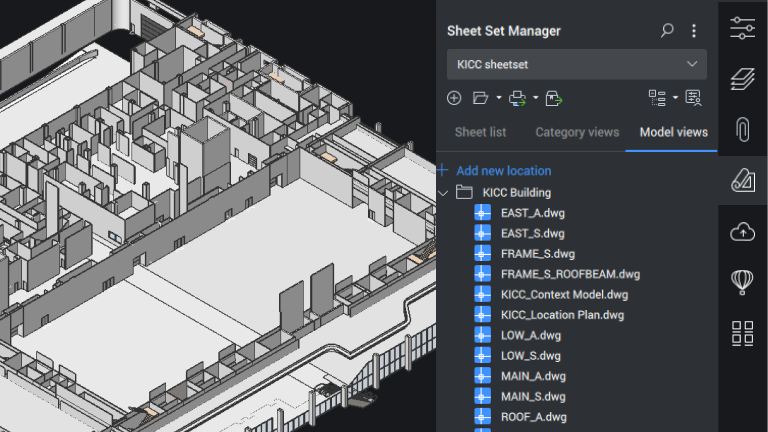
BricsCAD interface showing a 3D building model with the Sheet Set Manager panel displaying the KICC Building file list.

Pro / Lite

V24

增强

图纸集管理器

图纸集管理器中提供了 “新模型视图” 选项卡。除了拖动预览之外,图纸集树视图中还添加了新的拖放功能。
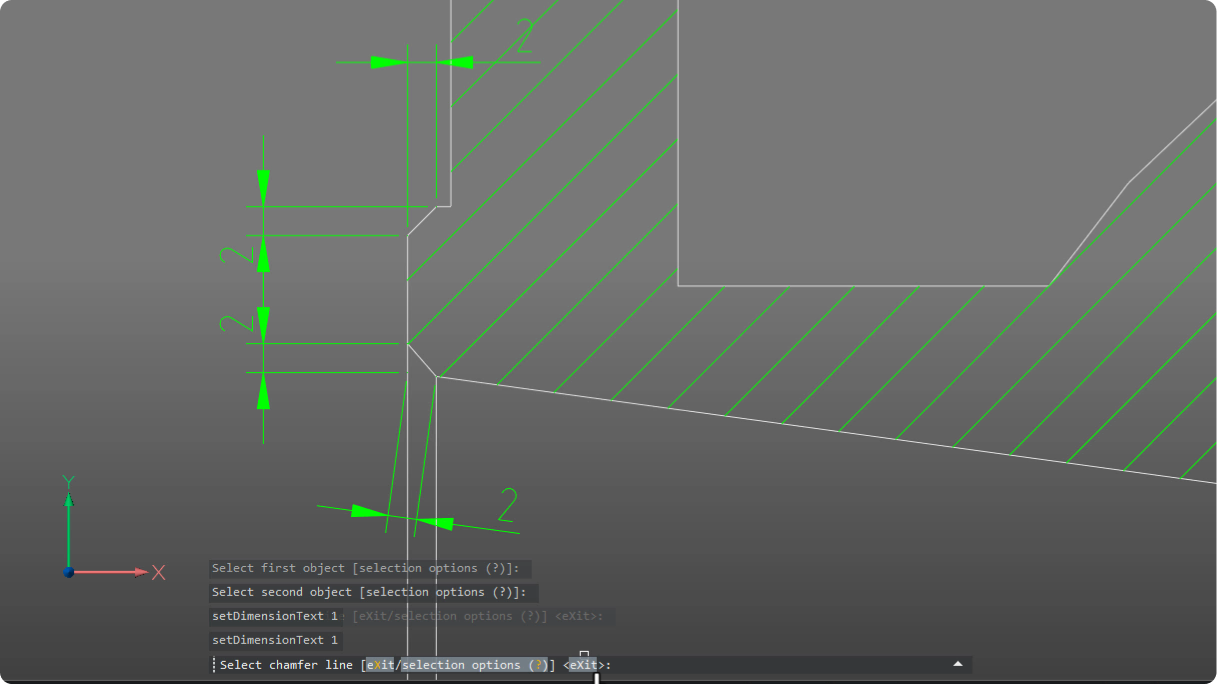
BricsCAD interface showing a 2D technical drawing with chamfer lines, dimensions, and hatching, with command prompts visible.

Mechanical

V26

NEW

智能自动倒角尺寸标注

使用自动倒角尺寸节省时间。选择倒角和边线,即可立即创建两个清晰的线性测量值。

Autodesk Construction Cloud logo in white text on a black background.

BricsCAD BIM

V26

NEW

Autodesk® 建筑云集成

将 BricsCAD 与 Autodesk® Construction Cloud 相连,可实现更顺畅的 AECO 协作、更好的数据流和连接更紧密的工作流。
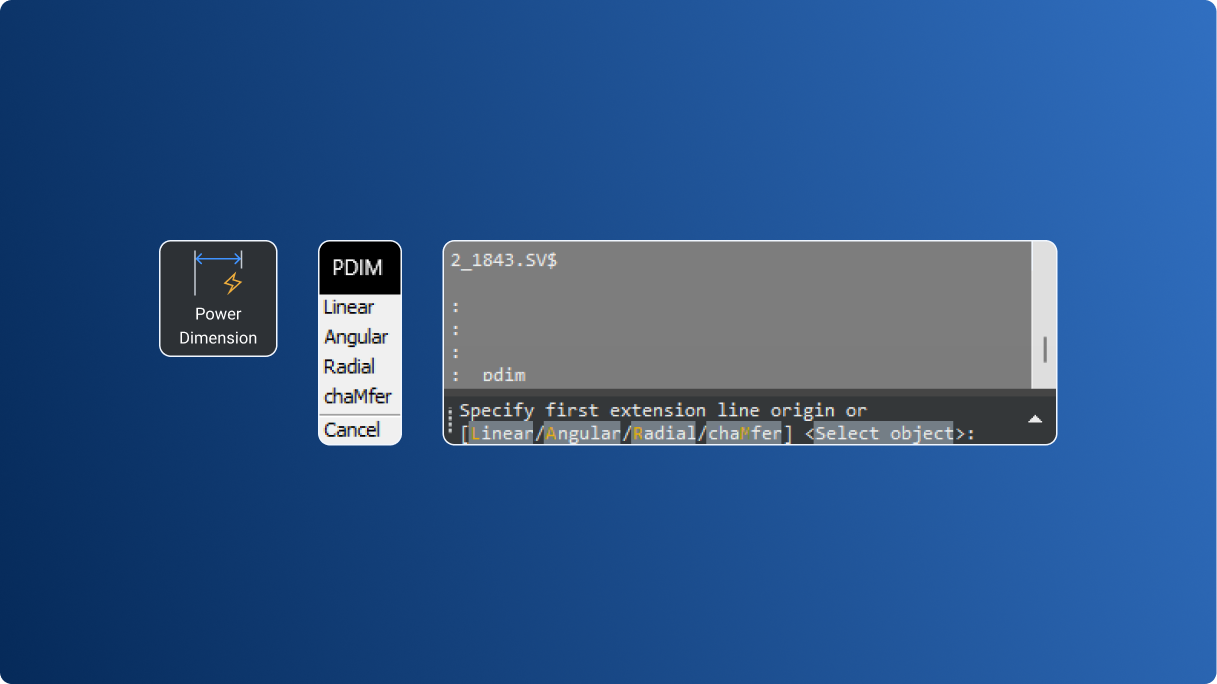
V26.2

BricsCAD Power Dimension tool icon, PDIM command menu, and command line showing dimension options.

Mechanical

V26

增强

简化尺寸控制

更智能的命令和先进的用户界面使尺寸测量更快、更准确。
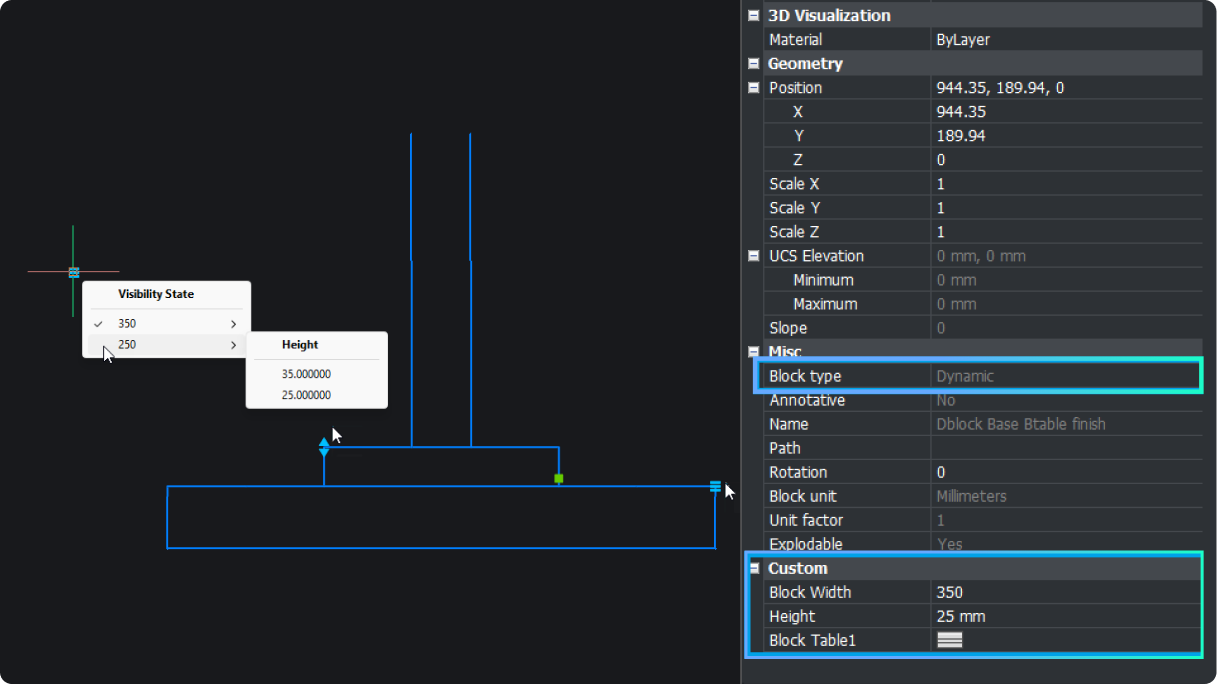
BricsCAD interface showing a dynamic block with a Visibility State menu and properties panel displaying geometry and custom block settings.

Pro / Lite

V26

实验性的

动态块创建

在 BricsCAD 中创建动态块(仅适用于美国以外的用户)。
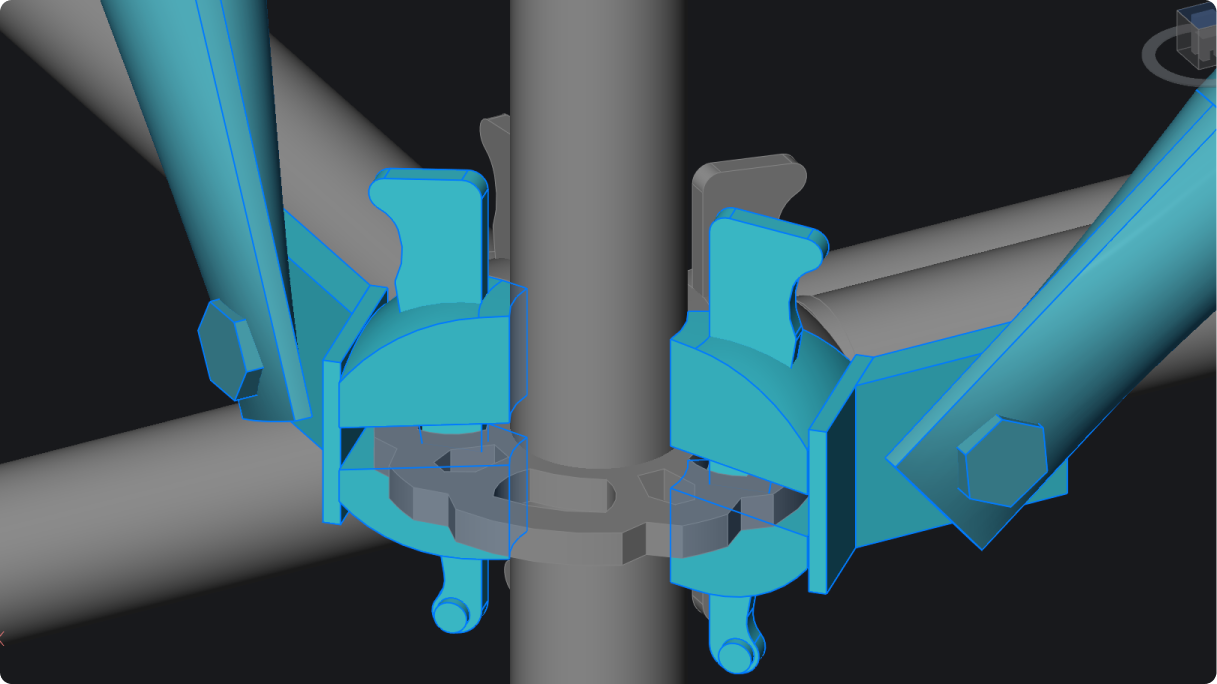
3D CAD model in BricsCAD showing two pipe clamp assemblies highlighted in blue, mounted on a vertical cylindrical pipe.

Pro / Lite

V26

增强

碰撞检测。

直观的用户界面,可应用过滤器、查询数据和管理结果。通过在模型空间中隔离碰撞来检查并删除碰撞。

BricsCAD Tool Properties dialog for a Door - Imperial block, showing insert settings, layer A-Doors, and general properties.

BricsCAD

V26

实验性的

动态块的动作属性

现在可以在创建动作后对其属性进行编辑,从而提高了使用动态块的工作效率(仅适用于美国以外的用户)。

V26.2

BricsCAD interface showing a 2D floor plan with labeled rooms like Kitchen, Office, Freezer, and Electrical Room with camera symbols.

BricsCAD

V26

NEW

改善绘画健康的通知

根据后台运行的健康顾问的建议,确定图纸的潜在改进措施。

V26.2

BricsCAD 独有的®

BricsCAD interface showing a 2D curtain wall section detail with annotations alongside a 3D model of a multi-story facade.

BricsCAD BIM

增强

V26

不同详细程度的 BIM 数据保留

匹配属性现在可以复制所有 BIM 属性,跨不同的细节级别,从项目启动到交付保持一致性。

V26.2

BricsCAD 独有的®

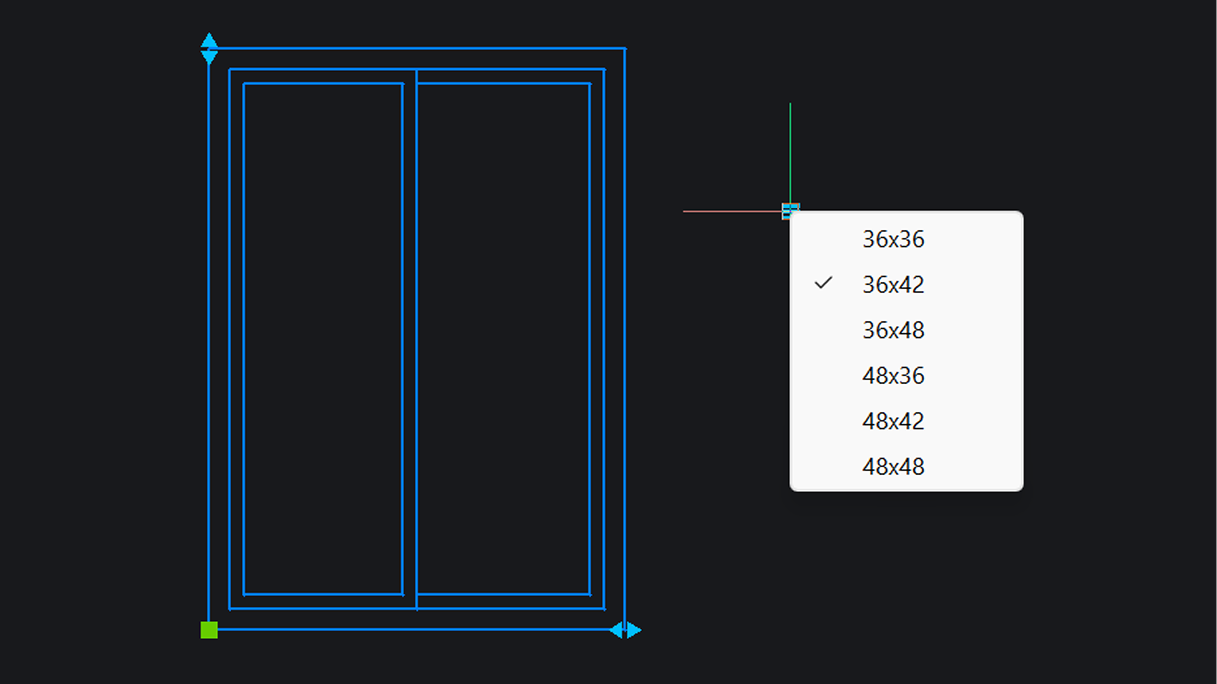
BricsCAD interface showing a 2D double window drawing with a size selection dropdown listing options from 36x36 to 48x48, with 36x42 checked.

BricsCAD

V26

实验性的

动态块查找表

可以为动态块创建查找表(仅对美国以外的用户可用)。

V26.2

下一步

准备好升级和保存了吗?
获取最新版本------------------------------------------------------------------------------------------
立即升级
联系当地分销商
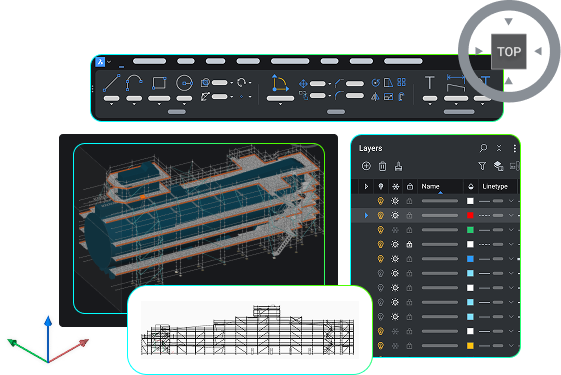
BricsCAD interface showing a 3D scaffolding model, toolbar, layers panel, and a 2D elevation drawing.