BricsCAD。以更低成本,交付更多成果。9 月 30 日前立享 85 折优惠。⏰

获取优惠

查找

欢迎使用 BricsCAD
真正的 CAD 替代方案

充分利用您的 BricsCAD 试用版的五个步骤,包括自定义界面、测试独特功能以加速您的工作流程。
开始您的旅程
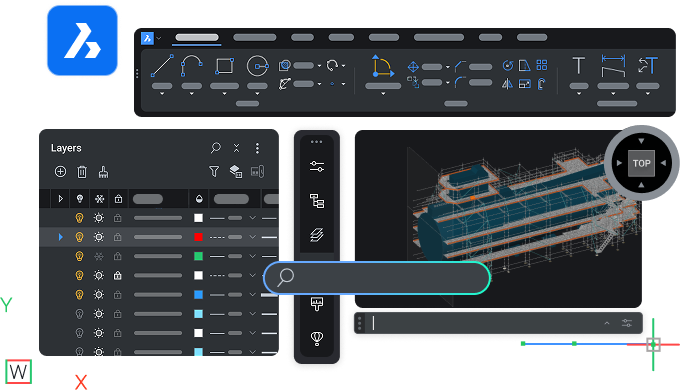
BricsCAD interface showing toolbar, layers panel, and a 3D model of a ship viewed from the top perspective.

立即开始

您与 BricsCAD 的旅程

N°1 download - Icon - White

熟悉 BricsCAD

按照自己的进度学习 BricsCAD,了解主要功能。

N°2 user questions - Icon - White

查找问题答案

阅读产品文档并联系 BricsCAD 支持。

N°3 personalize workspace - Icon - White

按您想要的方式设置 BricsCAD

将自定义设置和其他文件迁移到 BricsCAD,并个性化您的工作区。

N°4 true CAD alternative  - Icon - White

探索真正的 CAD 替代方案

测试 BricsCAD 的独特功能,加快从设计到生产的流程。

N°5 rocket  - Icon - White

选择适合您的许可证

比较 BricsCAD 许可选项和产品级别,选择最适合您的版本。

第一步

熟悉 BricsCAD

资源

Graphic showing AutoCAD logo vs BricsCAD logo with V26 NEW badges, highlighting a software comparison.

AutoCAD® 到 BricsCAD

AutoCAD® 和 BricsCAD 之间的关键相似性和差异。

Illustration of a monitor with a refresh and lightning bolt icon, a cursor, labeled V26 NEW on dark background.

BricsCAD 基础

快速浏览 BricsCAD 的主要特点和功能。

White icon of a .dwg file on a dark background, representing a CAD drawing file format.

功能比较

按产品级别分列的 BricsCAD 功能综合列表,以及与 AutoCAD® 的比较。

第二步

查找问题答案

在帮助中心和博客中了解有关 BricsCAD 的更多信息,并在论坛中与其他用户交流。

BricsCAD interface showing a dark-themed 2D mechanical drawing with a search bar overlay and cyan-green technical components.

资源

White icon of a wrench and screwdriver crossed over each other on a dark background, symbolizing tools or settings.

帮助中心

产品文档、命令参考、知识库和其他技术资源。

White line illustration of a webpage wireframe with placeholder image and text blocks on a dark background.

博客

帮助您更快更聪明地工作的技巧 和 窍门, 充分利用 最新 工具。

White line icons on dark background showing two chat bubbles and a content card, representing communication or messaging.

论坛

BricsCAD 用户社区分享您所在领域的最佳实践 。

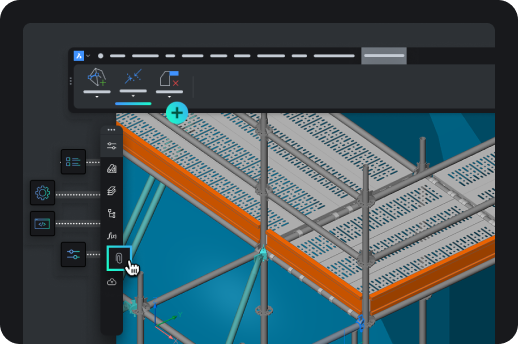
BricsCAD interface showing a 3D isometric model of an industrial shelving or scaffolding structure with toolbar icons.

第三步

按您想要的方式设置 BricsCAD

在工作区中加入你最喜欢的工具和设置。

资源
An arrow pointing from the AutoCAD letter A icon to the BricsCAD logo, symbolizing migration from AutoCAD to BricsCAD.

迁移到 BricsCAD

将您的自定义设置和其他文件从 AutoCAD® 导入 BricsCAD。

Icon showing a browser window with a pencil, rendered in teal and green on a dark background.

自定义 BricsCAD

通过界面设置等个性化你的工作空间。

Six neon icons on dark background: location pin, factory, road curve, structure frame, gear, and fan, representing CAD industry use cases.

第三方应用程式

集成您最喜爱的工具,扩展工作流程,并为您的行业添加定制功能。

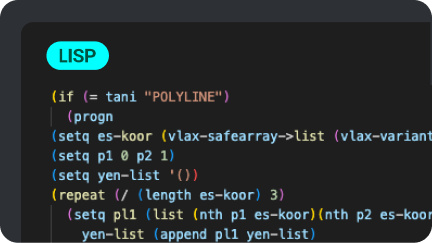
A dark-themed code editor displaying a LISP script for processing polyline data in BricsCAD, using colorful syntax highlighting.

LISP 例程

在 BricsCAD 中迁移、创建和定制您的 LISP 例程。

第四步

探索真正的 CAD 替代方案

尝试 BricsCAD 的独特功能和人工智能驱动的工具,使其成为真正的 CAD 替代品。
BricsCAD interface showing a 2D architectural drawing with toolbar, green square icons, and the BricsCAD logo on dark background.

资源

Six paper planes growing in size, with the largest transforming into a rocket, symbolizing growth and progression.

BricsCAD 的优势

BricsCAD 的主要优势,从系统配置到先进的二维绘图和三维建模工具。

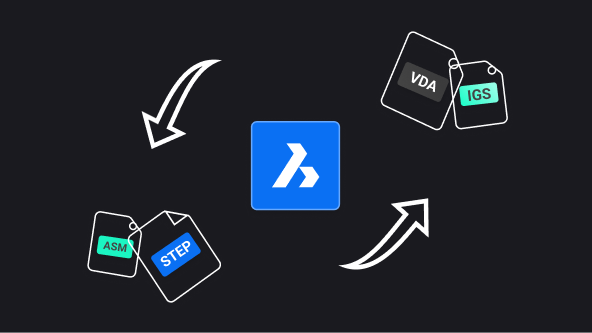
BricsCAD logo centered with arrows showing file format conversion between ASM, STEP, VDA, and IGS formats.

BricsCAD Communicator

从其他主要 CAD 软件导入/导出模型和 PMI 数据。

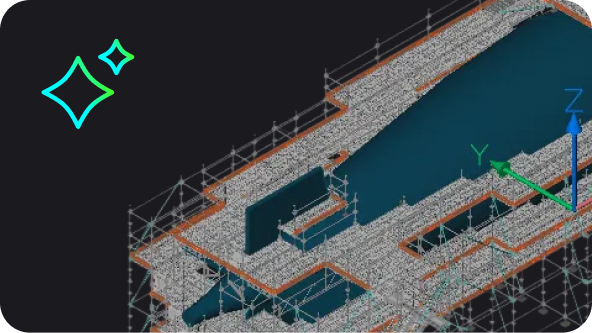
BricsCAD 3D model of a large industrial or architectural structure with scaffolding, shown in isometric view.

BricsCAD 中的人工智能驱动工具

BricsCAD 中的人工智能和机器学习如何帮助您减少点击、快速修复文件并节省时间。

BricsCAD Lite purchase illustration showing a shopping cart with app icons and a Buy Now button on a product page.

第五步

选择适合您的许可证

比较产品等级,了解许可计划,如有问题,请联系我们。
资源

Abstract UI illustration showing a dark-themed selection panel with radio button options, one highlighted in blue with a cyan accent.

灵活的许可证授权

探索产品级别和许可证选项。

White outline icon of an open envelope with a document showing an at symbol, on a dark background.

个性化帮助

还有问题? 请联系我们的销售团队。

White icon on dark background showing a location pin with two speech bubbles containing ellipsis dots, symbolizing local support or chat.

官方合作伙伴

查找您所在地区的认证经销商。