라이브 방송에 참여하세요. BricsCAD V27 출시 00:00:00

지금 등록

검색

BricsCAD® V25
스마트함과 편리함이 만나다 !

지능형 기능과
사용자 친화적인 기능의 조화.

BricsCAD V25 체험
지금 구매하기

* 30일 무료 체험을 시작하세요 - 결재는 필요 없습니다.

BricsCAD® V25의 새로운 기능

사용자 친화적인 디자인 공간에서 워크플로를 자동화하는 55개 이상의 기능을 탐색하세요. 모든 기능이 포함된 CAD 소프트웨어를 사용하여 상호 운용 가능한 2D/3D, BIM, 기계 및 토목/측량 도구 세트를 활용하여 속도와 정확성을 높이세요.

Filter by:

기존 도구와의 작업 흐름 동등성
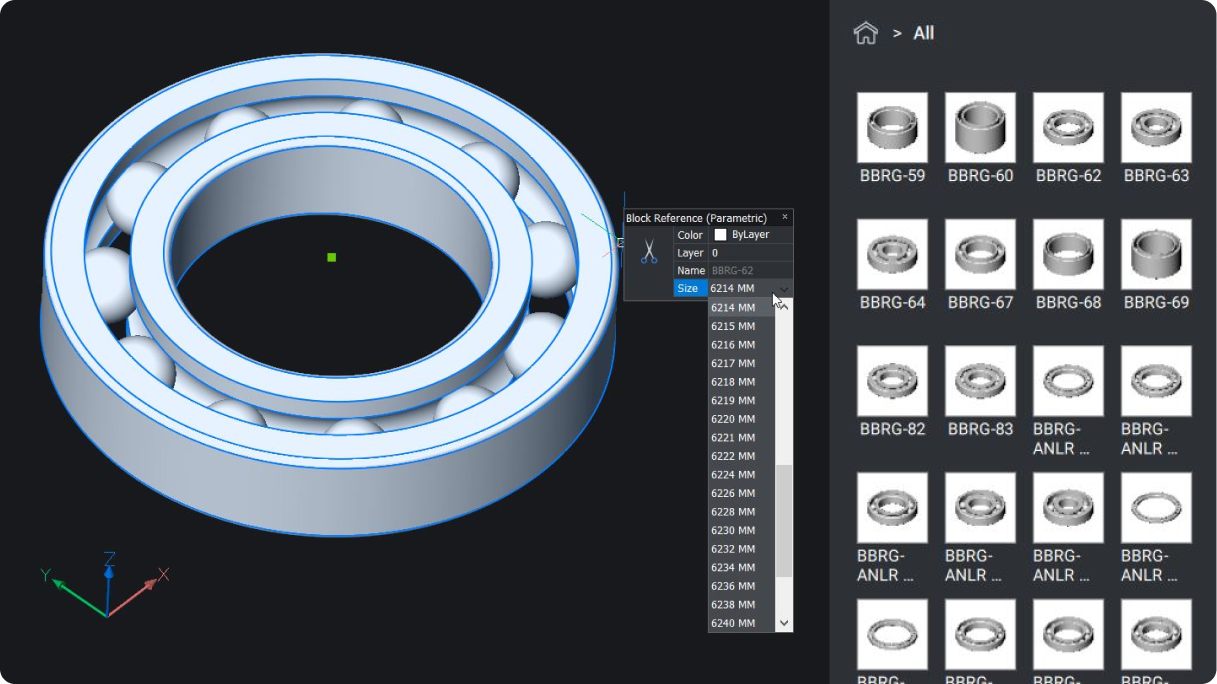
BricsCAD interface showing a 3D parametric ball bearing model with a size selection panel and a library of bearing components.

Pro / Lite

ENHANCED

내장된 파라메트릭, 2D 및 3D 블록 라이브러리

향상된 블록 라이브러리로 익숙한 기능을 사용하여 작업 흐름을 개선하세요.

Bricsys 아이콘BricsCAD만의 고유한
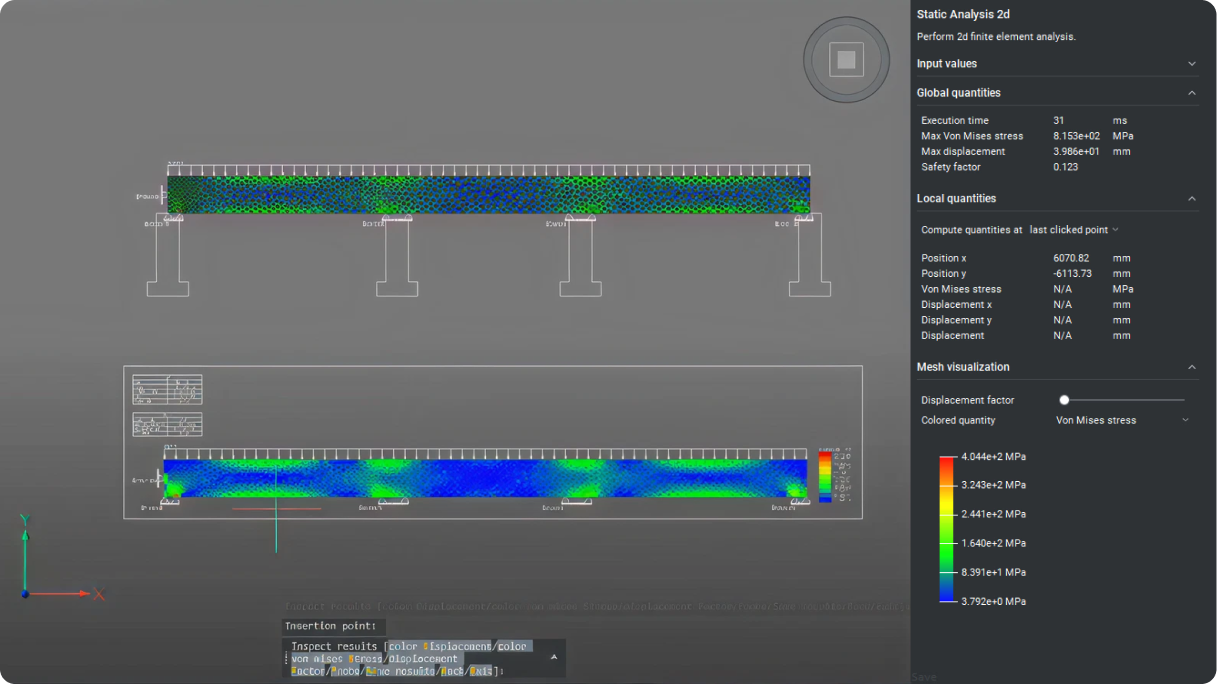
BricsCAD interface showing a 2D static finite element analysis of a beam with Von Mises stress heatmap visualization.

Mechanical

ENHANCED

2차원 유한 요소 분석 (CAEANALYZE2D)

CAEANALYZE2D 명령을 사용하여 닫힌 경계 또는 평면을 선택해 2D 유한 요소 해석을 수행할 수 있습니다.
V25.2 릴리스

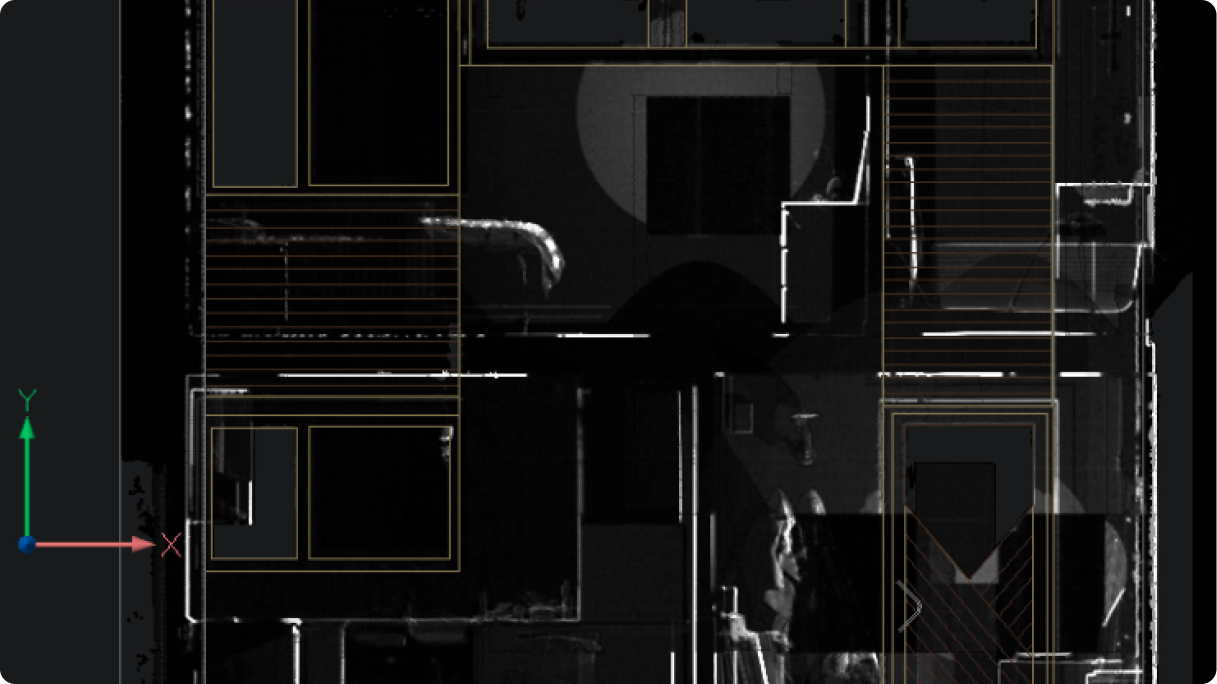
BricsCAD interface showing a 2D floor plan overlaid on a point cloud scan of a building interior.

Pro / Lite

NEW

POINTCLOUDCOLORMAP

향상된 선명도로 포인트 클라우드 데이터를 시각화하는 새로운 X-Ray 컬러맵입니다.
V25.2 릴리스

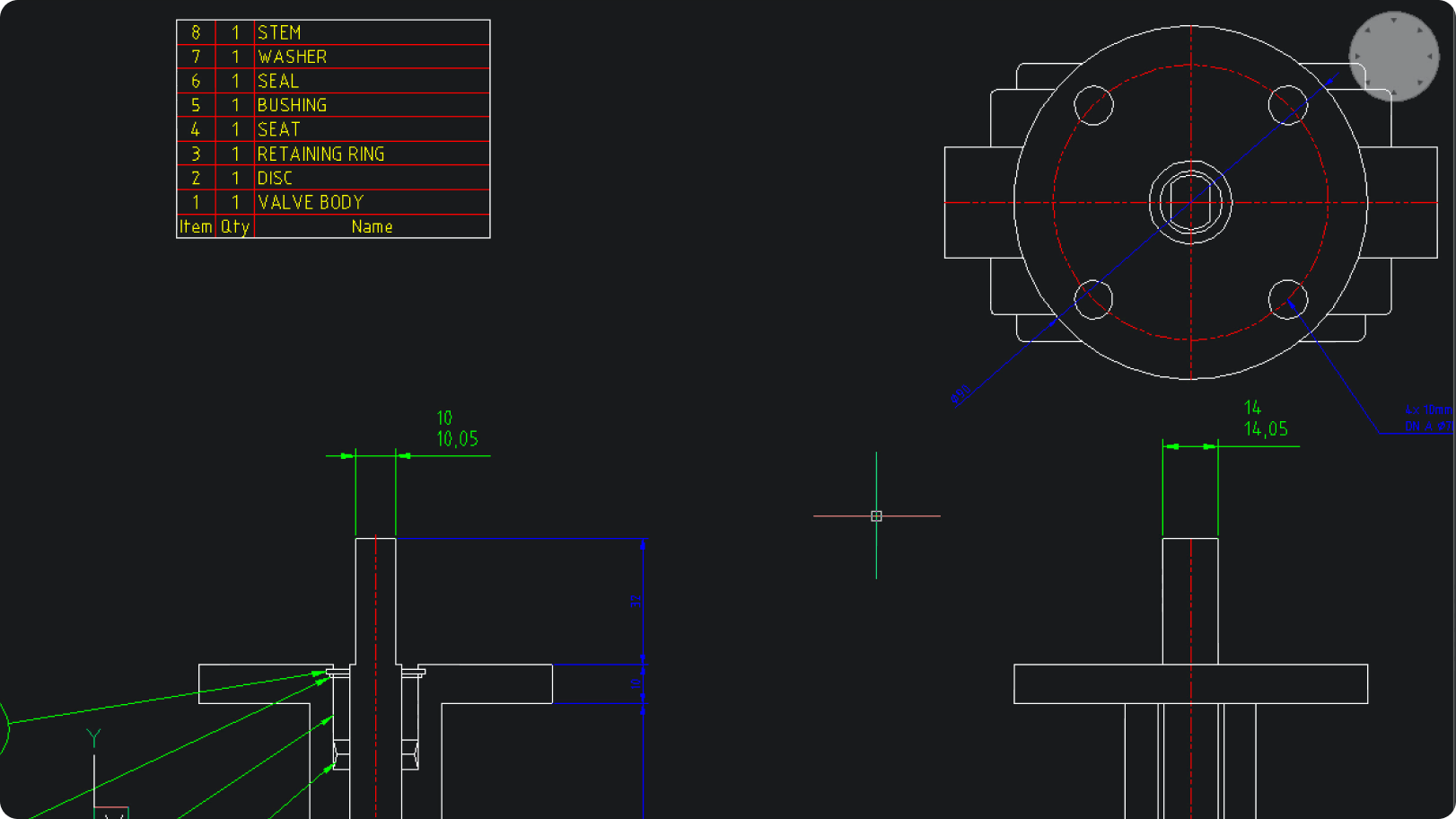
BricsCAD interface showing a valve assembly 2D drawing with a parts list including valve body, disc, stem, and seals.

Mechanical

NEW

AMRESCALE

어떤 도면 섹션의 축소판을 생성하면, 치수 및 주석 텍스트와 위치가 자동으로 업데이트됩니다.

사용하기 쉽고 간소화된 워크플로
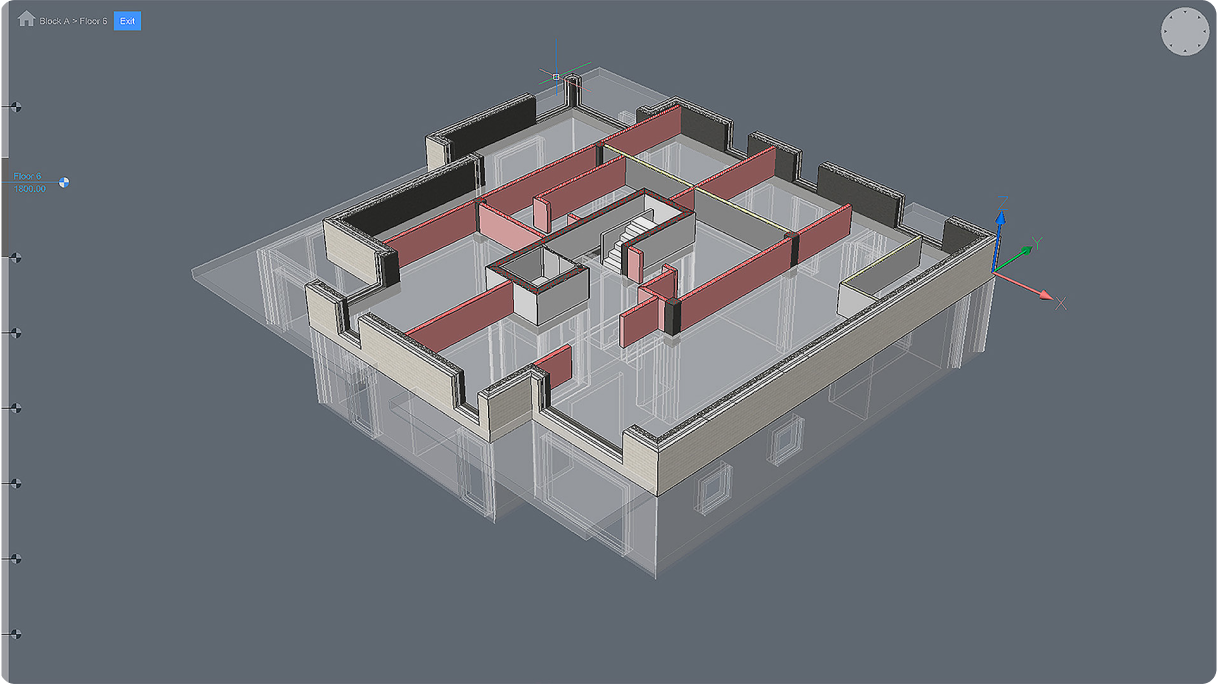
BricsCAD interface showing a 3D architectural model of a building floor plan with walls, rooms, and a staircase.

BIM

ENHANCED

BIMWALL

모델링할 때 벽 연결 사이에 더 스마트한 동작을 제공합니다.
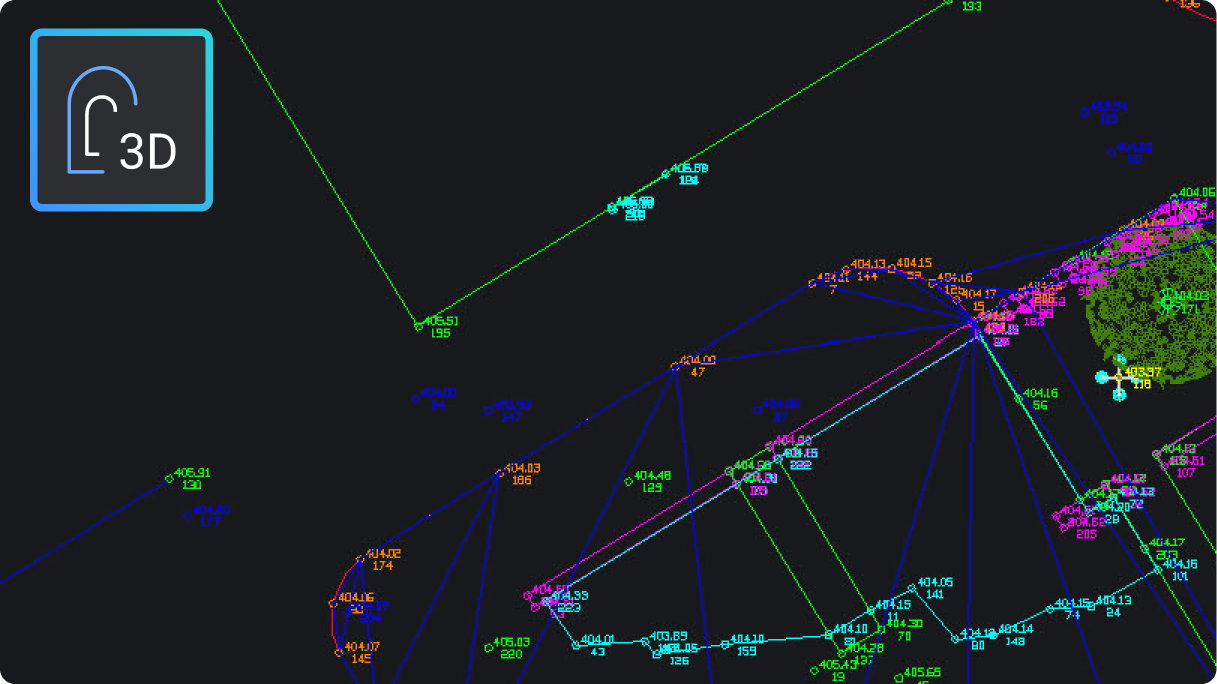
BricsCAD 3D CAD interface showing a complex survey or network map with colored lines and labeled data points.

토목 및 측량

NEW

3D 오프셋 (OFFSET3D)

새 3D 오프셋 명령은 문자열 또는 3D 폴리선을 수평 및 수직으로 오프셋합니다.
V25.2 릴리스

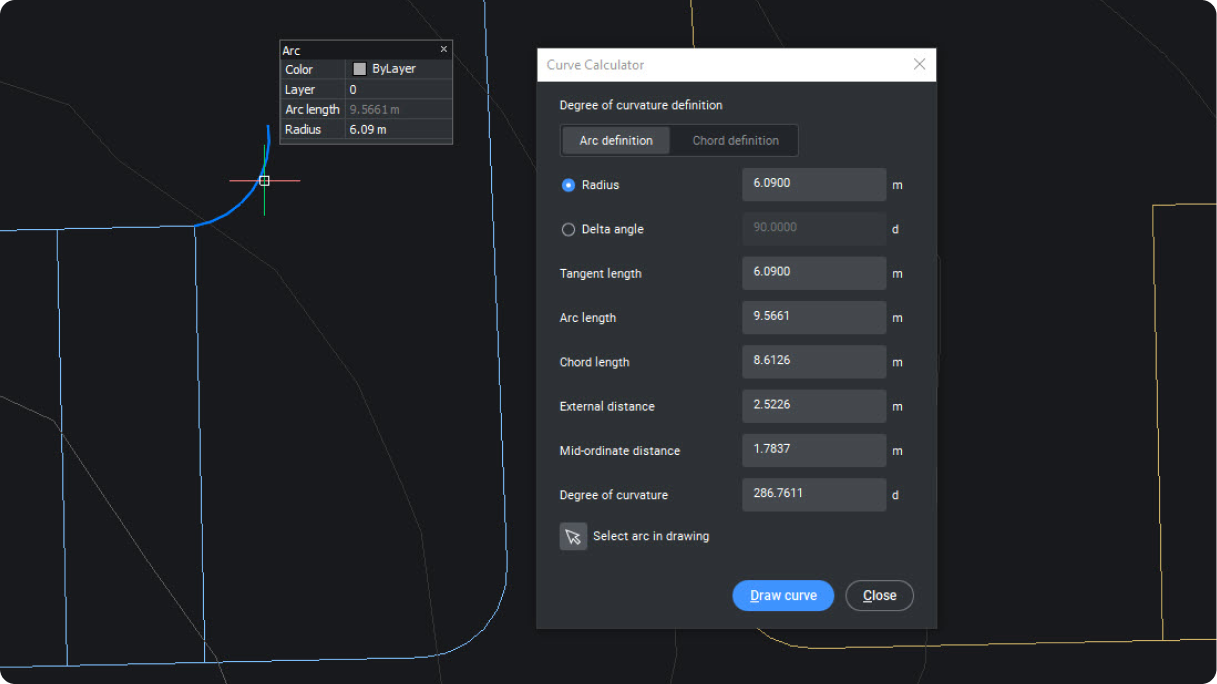
BricsCAD interface showing the Curve Calculator dialog with arc properties, including radius, arc length, and degree of curvature fields.

토목 및 측량

NEW

커브 계산기 및 지오메트리 생성기

곡선 기하학적 매개변수의 임의 조합을 기반으로 곡선을 정의하고, 그래픽적으로 배치를 선택합니다.
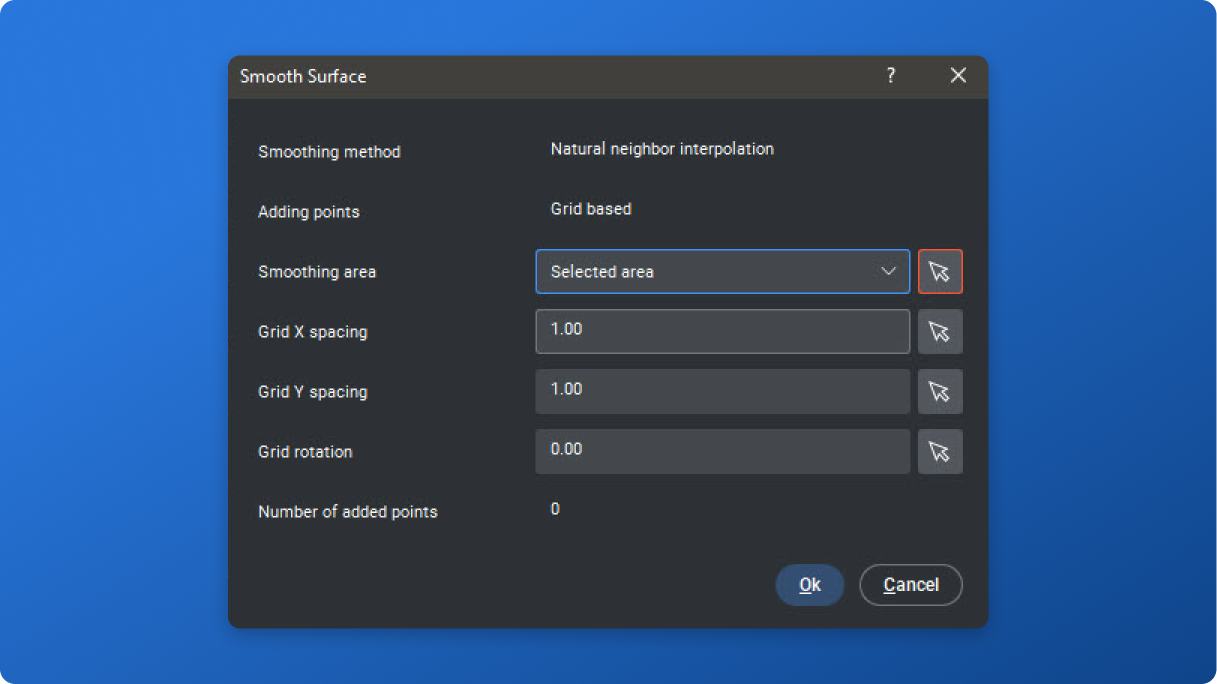
BricsCAD Smooth Surface dialog showing smoothing method, grid spacing, and area selection settings.

토목 및 측량

NEW

TIN 표면 평활화

사용자 정의 매개변수를 기반으로 부드러운 TIN 표면을 생성하여 기존 표면 상태를 보다 정확하게 표시합니다.

데이터 상호 운용성 설계
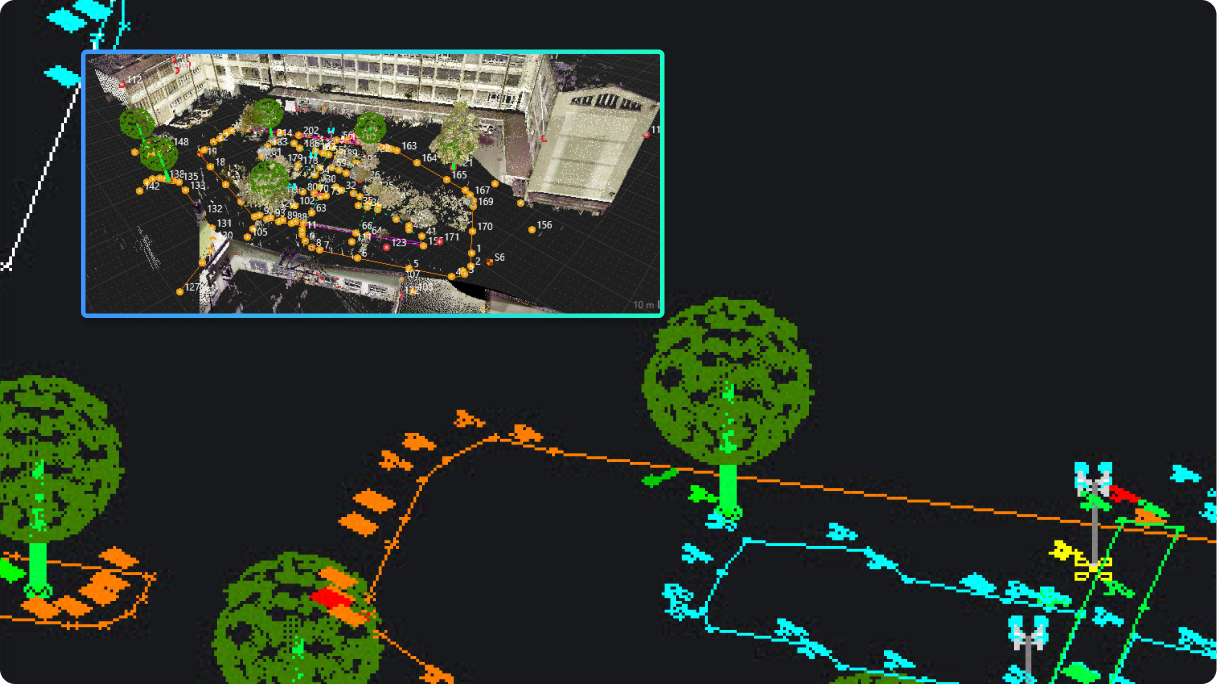
BricsCAD point cloud scan of an outdoor urban area with trees and buildings, showing a 3D overlay with color-coded elements.

토목 및 측량

NEW

측량 데이터 교환: Leica에서 BricsCAD로

Leica Infinity에서의 데이터 교환을 간소화하고 조사 데이터 작업 흐름을 최적화하기 위한 새로운 도구를 제공합니다.
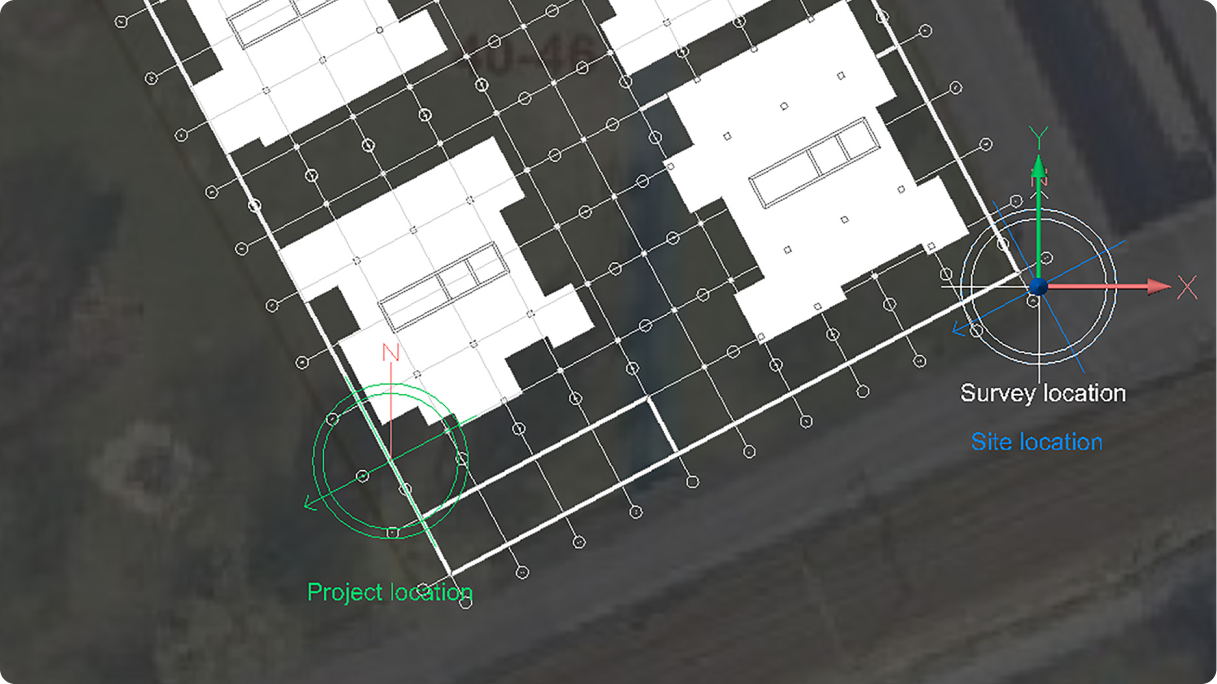
BricsCAD interface showing a building floor plan overlaid on a satellite map with project, survey, and site location markers.

BIM

NEW

모델 연합 및 지오레퍼런싱 - IFC

IFC 가져오기 및 내보내기 중 사용할 조사, 프로젝트 및 사이트 위치 데이터를 설정합니다.
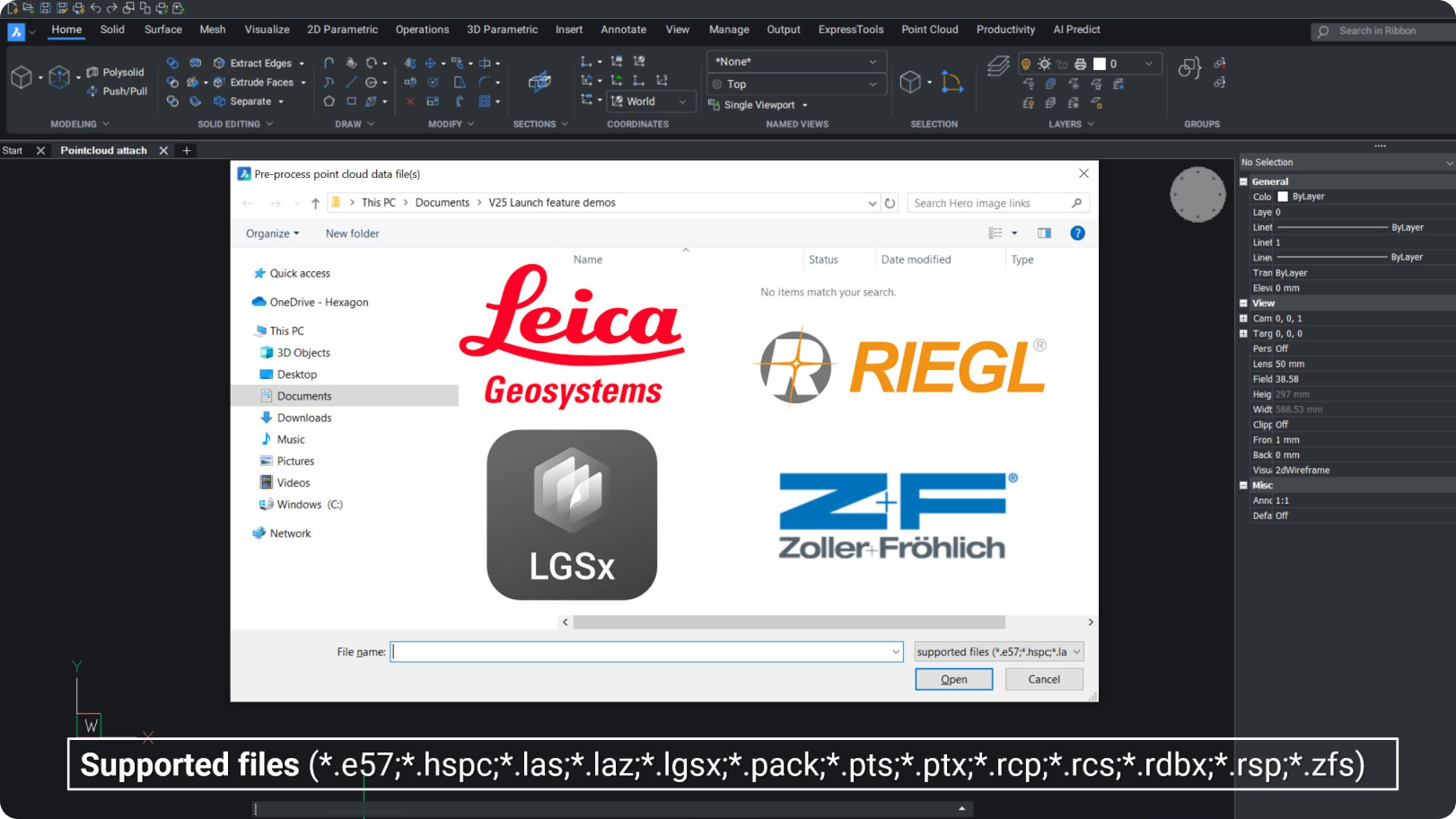
BricsCAD interface showing a point cloud file dialog with supported formats and logos of Leica Geosystems, RIEGL, LGSx, and Zoller Fröhlich.

Pro / Lite

NEW

포인트 클라우드 형식

Riegl, Z+F 및 LGSx 형식 가져오기를 지원합니다.

Bricsys 아이콘BricsCAD만의 고유한
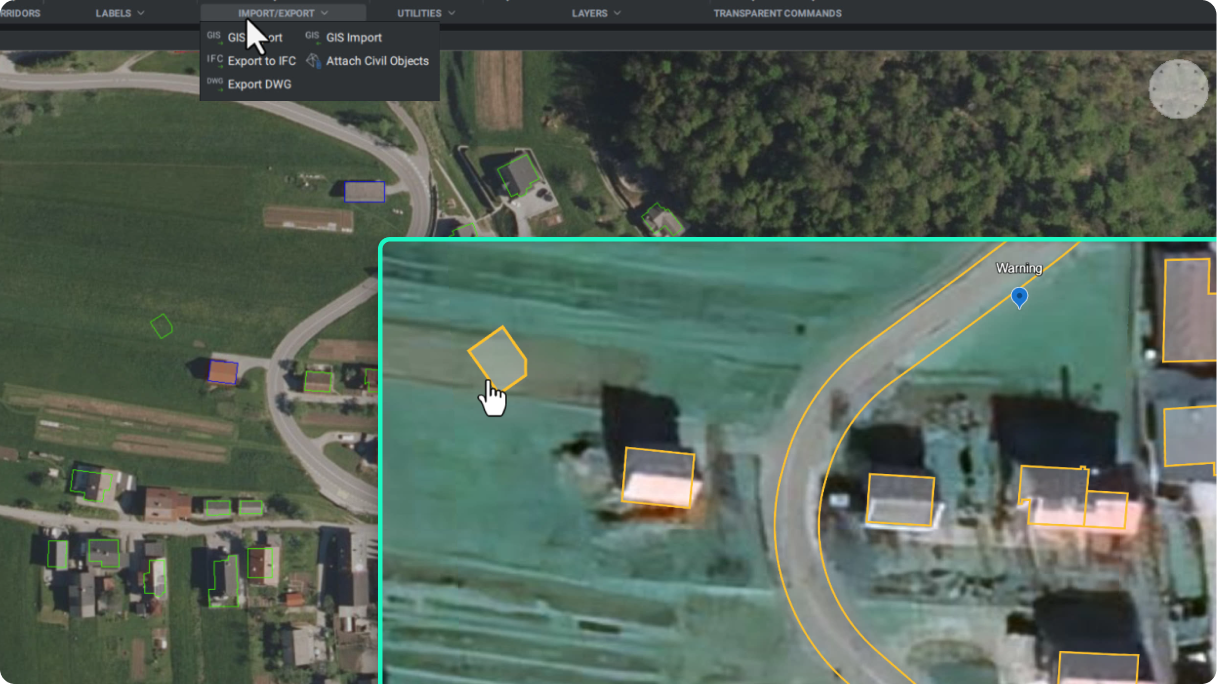
BricsCAD interface showing a GIS aerial map with building outlines and an open Import/Export menu displaying GIS and IFC options.

토목 및 측량

NEW

KML/KMZ 파일 지원

이제 GIS 가져오기 및 내보내기 명령에서 KML/KMZ 파일이 지원됩니다. 이를 통해 BricsCAD에서 데이터를 내보내 Google Earth에 표시할 수 있습니다.

V25.2 릴리스

혁신적인 AI 기반 기능

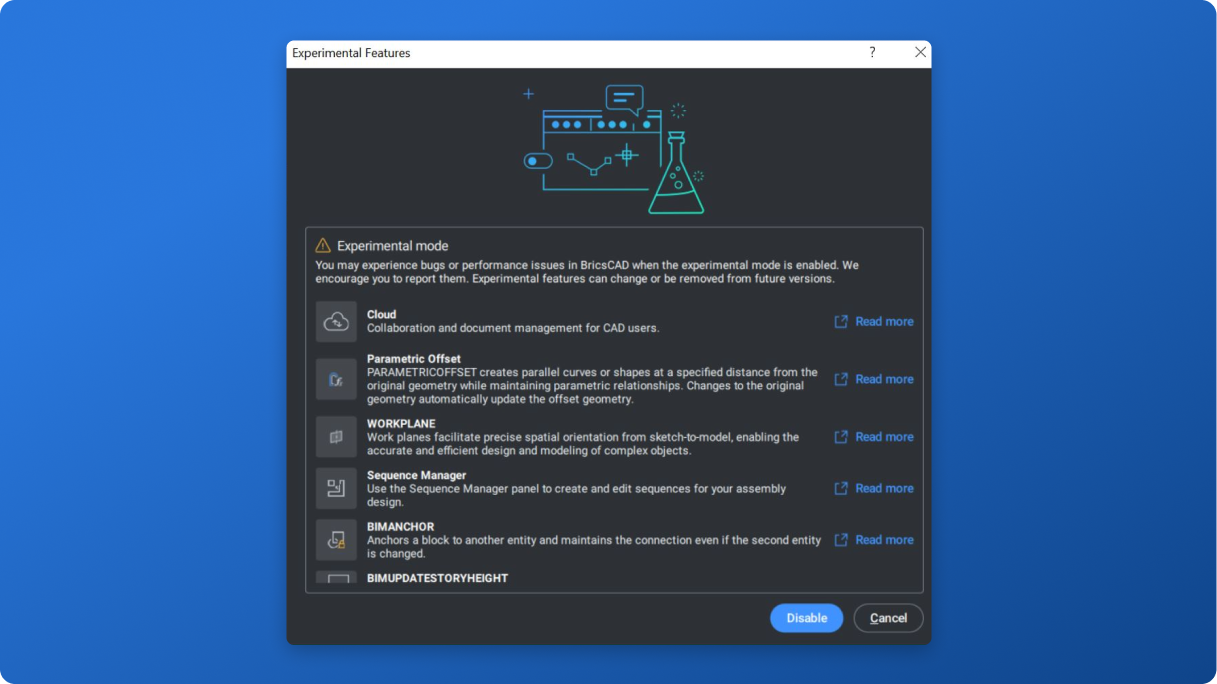
BricsCAD Experimental Features dialog listing options like Cloud, Parametric Offset, Workplane, Sequence Manager, and BIManchor.

Pro / Lite

NEW

실험적 기능 모드

실험 모드는 사용자가 개발 중인 혁신적인 기능을 탐색하고 테스트할 수 있는 샌드박스입니다. 이 기능들은 완전한 출시 준비가 되지 않았지만, 향후 개선 사항에 대한 미리보기를 제공합니다.

Bricsys 아이콘BricsCAD만의 고유한
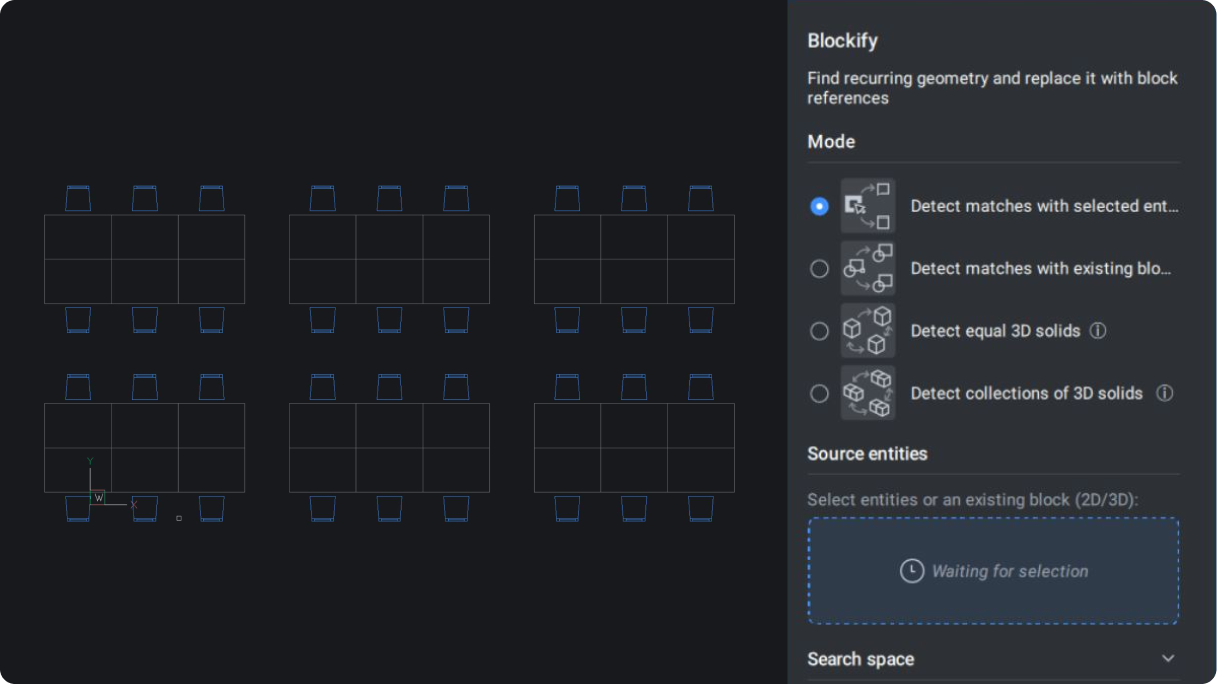
BricsCAD interface showing the Blockify panel with a 2D floor plan drawing of tables and chairs arranged in rows.

Pro / Lite

ENHANCED

BLOCKIFY

BLOCKIFY 워크플로가 완전히 업데이트되어 파라메트릭 블록 기능을 지원합니다.

Bricsys 아이콘BricsCAD만의 고유한
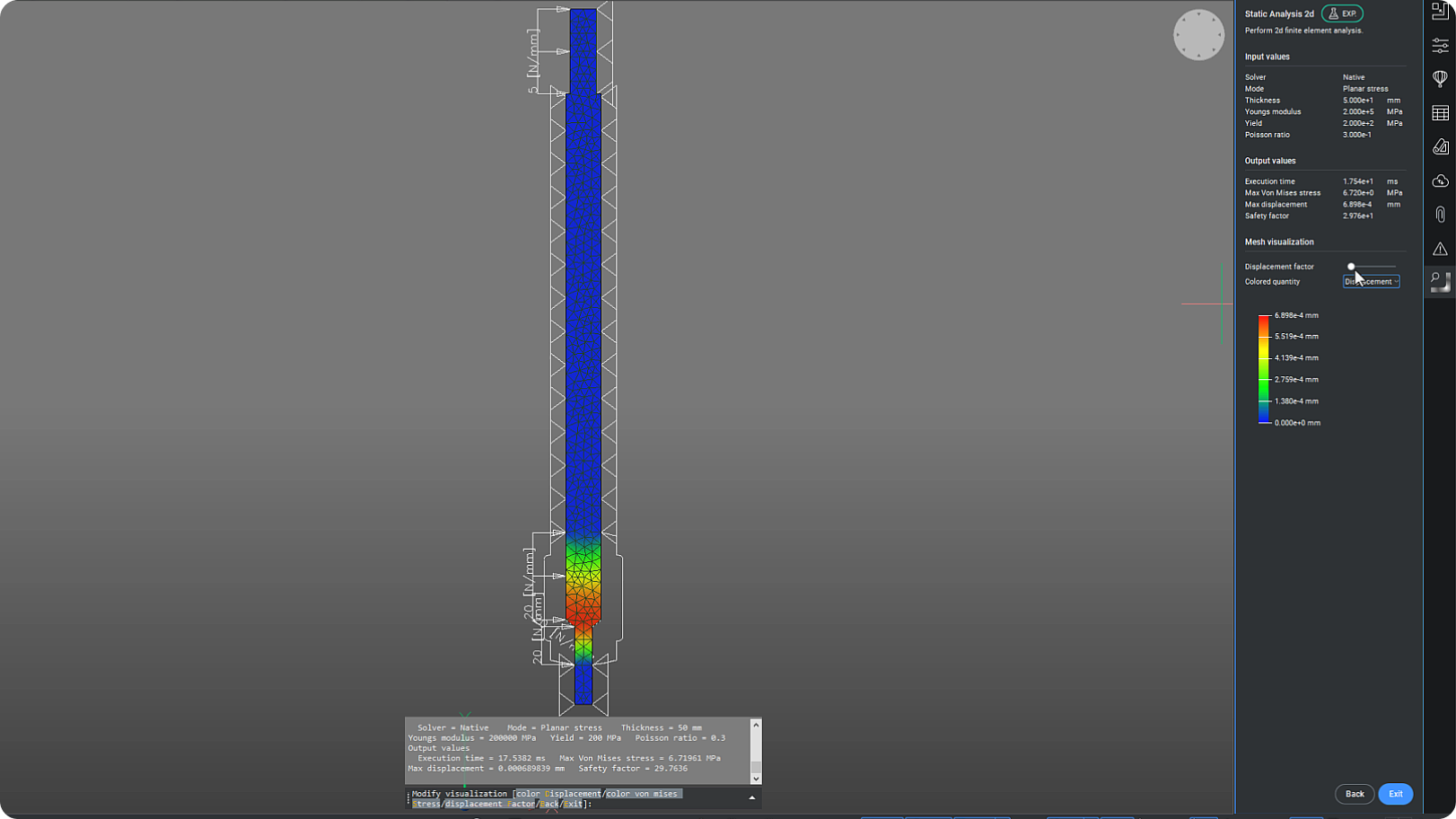
BricsCAD interface showing a 2D static finite element analysis of a vertical structural column with a displacement color map.

Mechanical

NEW

CAEANALYZE2D

BricsCAD Mechanical에 2D 유한 요소 분석을 통합하는 실험적 기능입니다.
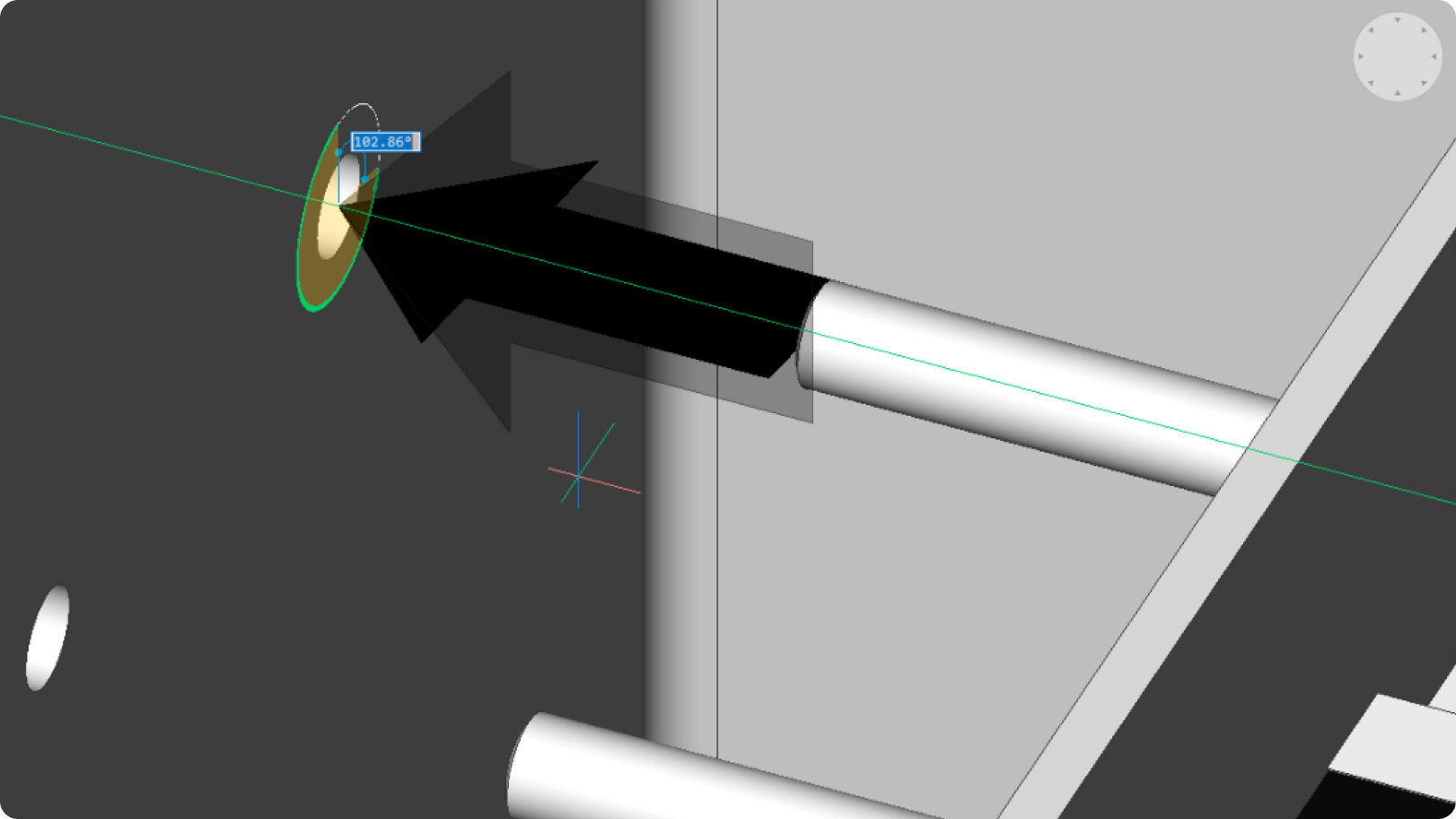
BricsCAD 3D model showing a mechanical assembly with a bolt and cylindrical rod, with an angle tooltip displaying 102.86 degrees.

Mechanical

NEW

BMARROW

BMARROW를 사용하면 조립 지침에 주석 화살표를 배치할 수 있습니다.

고성능 전문가용 CAD
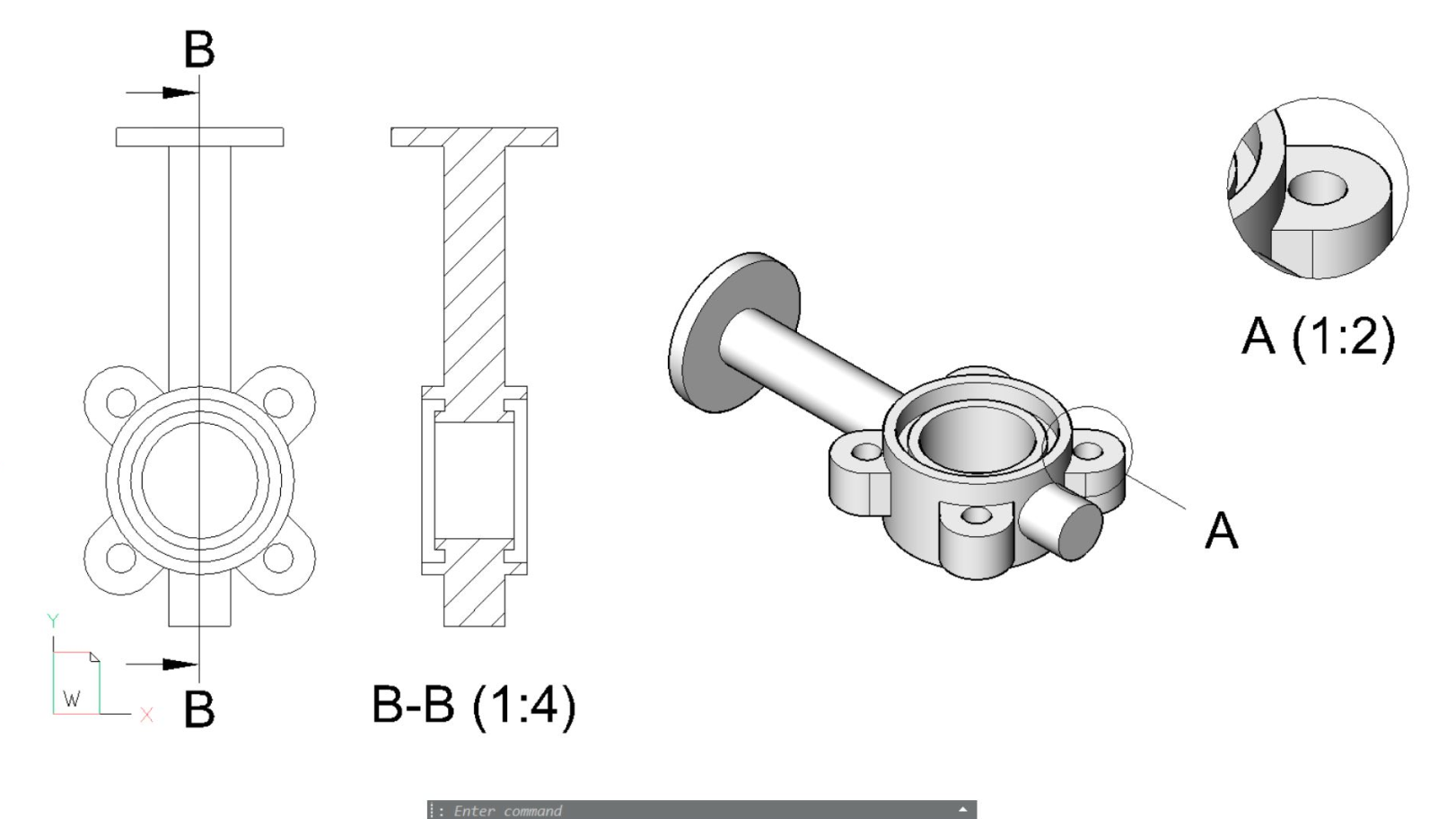
BricsCAD interface showing 2D cross-section views and a 3D model of a mechanical valve assembly with flanged components.

Pro / Lite

ENHANCED

VIEWBASE 도면 뷰

도면 뷰가 생성되는 동안 상호작용을 위해 도면 뷰의 백그라운드 생성을 활성화했습니다.
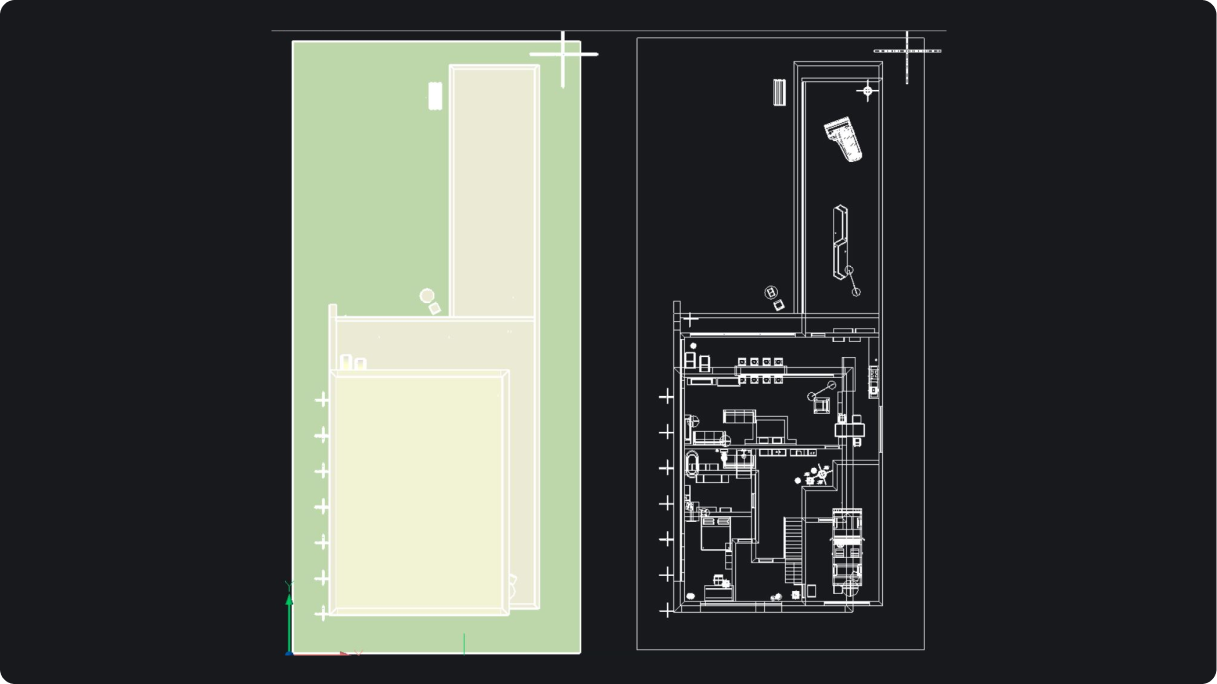
BricsCAD interface showing two views of a building floor plan, one with green fill and one detailed white-on-black CAD drawing.

Pro / Lite

ENHANCED

FLATSHOT

플랫샷의 전반적인 성능이 16~18배 향상되었습니다.
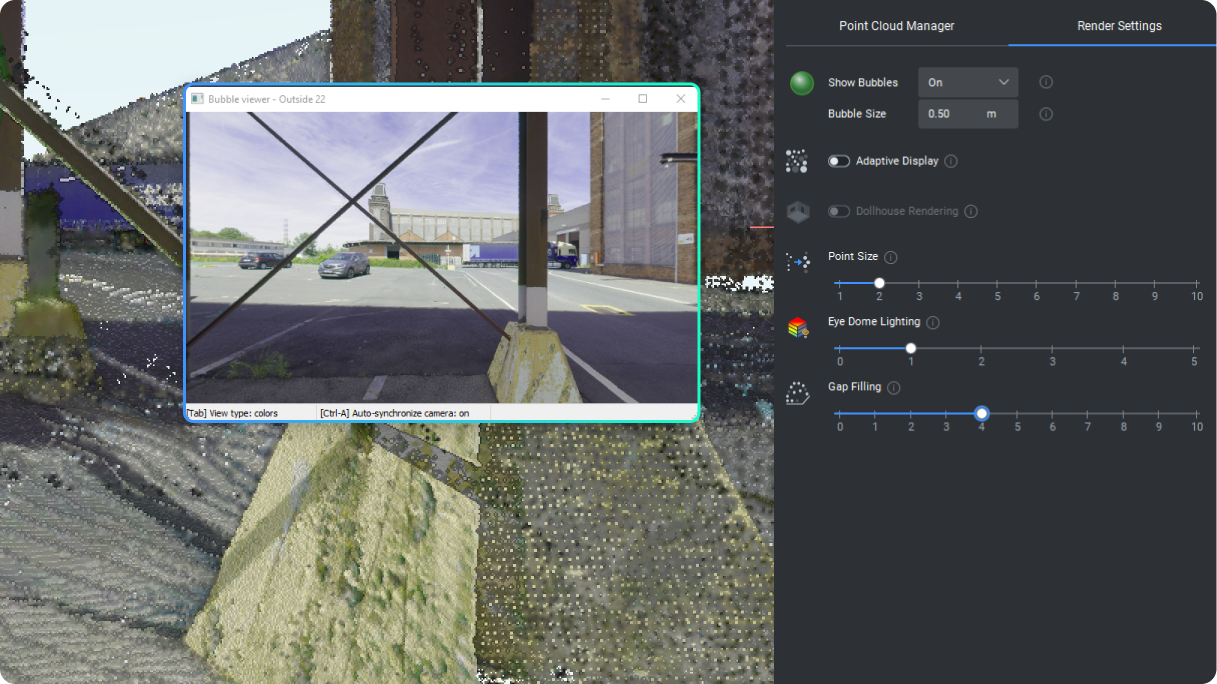
BricsCAD Point Cloud Manager showing an outdoor industrial site scan with a Bubble Viewer popup and render settings panel.

Pro / Lite

ENHANCED

포인트 클라우드 렌더링 모드

이제 새로운 패널 컨트롤을 통해 인형 집 렌더링, 아이 돔 조명, 틈새 채우기를 지원합니다.
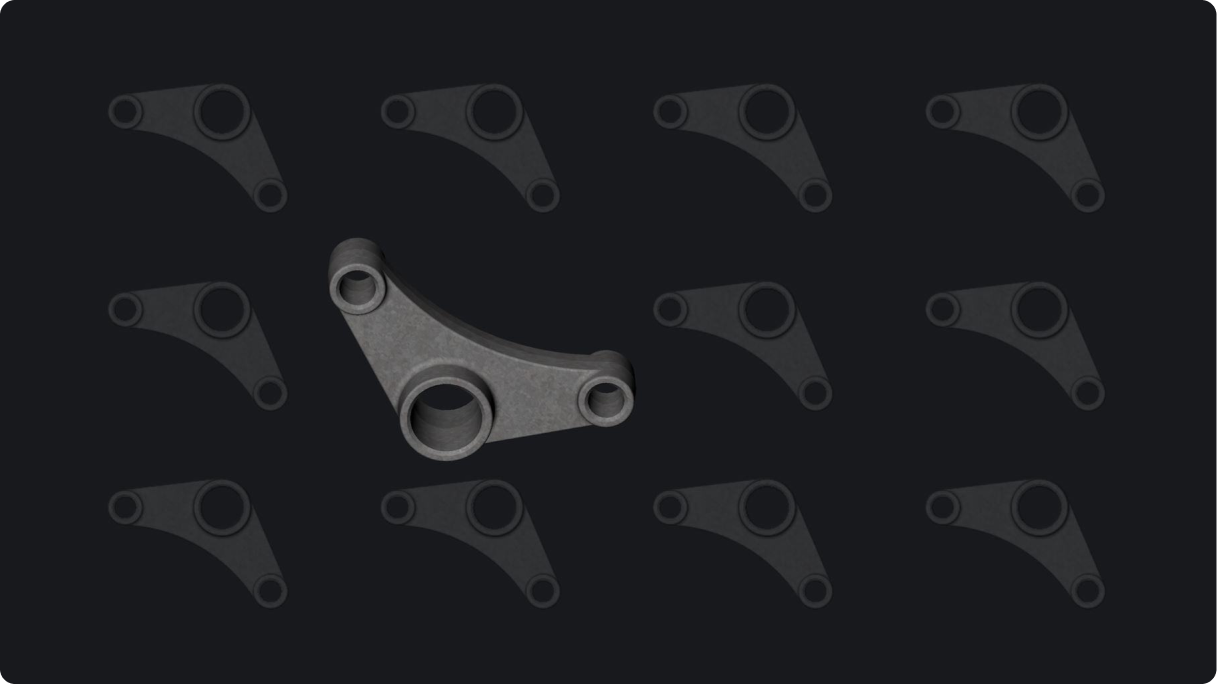
3D model of a mechanical rocker arm component centered on a dark background with repeated silhouettes of the same part.

Pro / Lite

NEW

RTISOLATIONSELECTION

3DORBIT 동안 선택한 개체를 2D 또는 3D로 분리합니다. 궤도 명령을 종료할 때 숨겨진 개체가 표시됩니다.

V25.2 릴리스

30일 평가판

오늘 BricsCAD를 시작하십시오!

다음에서 사용 가능 Microsoft, Mac 및 Linux 로고
BricsCAD를 무료로 이용해 보십시오.
Six BricsCAD views showing scaffolding structures, a 2D elevation drawing, pipe joints, and a 3D building model.