Rozpocznij pracę z BricsCAD
Pracuj w natywnym formacie DWG, korzystając z narzędzi, które już znasz, zachowaj swoje pliki i dostosowania oraz odkryj szybszy i tańszy sposób projektowania.
* Bezpłatny 30-dniowy okres próbny, karta kredytowa nie jest wymagana.
Bezpłatny okres próbny
Wypróbuj BricsCAD za darmo przez 30 dni
Pobierz pełną wersję oprogramowania bezpłatnie na 30 dni. Bez karty kredytowej, bez zobowiązań. Przed zakupem przetestuj go na własnych rysunkach i sprawdź, czy pasuje.
W ramach bezpłatnego okresu próbnego otrzymujesz:

Pełny dostęp
Kompletny zestaw narzędzi, a nie ograniczoną wersje demonstracyjną

Natywny format DWG od pierwszego dnia
Otwórz istniejące pliki, bez konwersji

Dowolne wydanie
Wypróbuj Lite, Pro, Mechanical lub BIM, aby znaleźć wersję odpowiednią dla siebie
Pobierz BricsCAD
Przed pobraniem
Znajdź odpowiedzi na najczęściej zadawane pytania zanim zaczniesz korzystać z BricsCAD.
Czy można pobrać BricsCAD za darmo?
Ciekawi Cię BricsCAD? Możesz wypróbować BricsCAD bezpłatnie przez 30 dni. W trakcie okresu próbnego możesz uzyskać dostęp do dowolnego poziomu licencji BricsCAD, od BricsCAD Lite aż do BricsCAD Ultimate. Jeśli jesteś studentem lub nauczycielem, możesz pobrać BricsCAD Ultimate bezpłatnie z licencją akademicką.
Jak zainstalować BricsCAD?
Jakie są wymagania systemowe do uruchomienia BricsCAD?
Który poziom licencji BricsCAD jest dla Ciebie odpowiedni?
Porównaj edycje BricsCAD
Znajdź odpowiedni BricsCAD dla swojej pracy
Każda edycja opiera się na tym samym rdzeniu DWG, a następnie dodaje narzędzia do określonych rodzajów prac — od rysunków 2D po modelowanie 3D, projektowanie mechaniczne i BIM. Porównaj, co zawierają poszczególne opcje, aby znaleźć opcję odpowiednią dla siebie.
BricsCAD
Lite
Pro
BIM
Mechanical
Ultimate
Platforma CAD
The native-DWG core: familiar interface, customization, and automation.
Zawarta w pakiecie
Zawarta w pakiecie
Zawarta w pakiecie
Zawarta w pakiecie
Zawarta w pakiecie
Rysowanie 2D
Complete 2D drawing, drafting, and detailing.
Zawarta w pakiecie
Zawarta w pakiecie
Zawarta w pakiecie
Zawarta w pakiecie
Zawarta w pakiecie
Modelowanie 3D
Direct 3D modeling and editing.
Nie zawiera
Zawarta w pakiecie
Zawarta w pakiecie
Zawarta w pakiecie
Zawarta w pakiecie
Narzędzia pomiarowe
Surveying tools
Nie zawiera
Zawarta w pakiecie
Zawarta w pakiecie
Zawarta w pakiecie
Zawarta w pakiecie
Chmury punktów
Import and reference laser-scan point clouds.
Nie zawiera
Zawarta w pakiecie
Zawarta w pakiecie
Zawarta w pakiecie
Zawarta w pakiecie
Narzędzia mechaniczne
Parametric mechanical design and assembly modeling.
Nie zawiera
Nie zawiera
Nie zawiera
Zawarta w pakiecie
Zawarta w pakiecie
Narzędzia BIM
Model-based BIM authoring and documentation.
Nie zawiera
Nie zawiera
Zawarta w pakiecie
Nie zawiera
Zawarta w pakiecie
Pobierz i zainstaluj BricsCAD
Jak pobrać i zainstalować BricsCAD w kilka minut
Aby zacząć, wystarczy wykonać kilka kroków. Jedno pobranie obejmuje każdą edycję BricsCAD, możesz więc zainstalować program raz i wypróbować go bezpłatnie przez 30 dni.

Utwórz bezpłatne konto
Zarejestruj się na stronie BricsCAD i zweryfikuj swój adres e-mail, aby odblokować pobieranie.

Pobierz instalator
Wybierz platformę, język i wersję, zaakceptuj warunki użytkowania i pobierz. Pojedynczy plik zawiera wersje Lite, Pro, Mechanical i BIM.

Uruchom instalator
Przy pierwszym uruchomieniu rozpocznij 30-dniowy okres próbny bez konieczności podawania klucza lub wprowadź swoją licencję. Wybierz profil 2D lub 3D i gotowe.

Uruchom i zacznij projektować
Przy pierwszym uruchomieniu rozpocznij 30-dniowy okres próbny bez konieczności podawania klucza lub wprowadź swoją licencję. Wybierz profil 2D lub 3D i gotowe.
Odkrywaj BricsCAD
Oprogramowanie CAD dostosowane do potrzeb projektowych
BricsCAD umożliwia ekspertom tworzenie dokładniejszych reprezentacji projektowych. CAD zastąpił ręczne projektowanie, umożliwiając lepszy rozwój, zmiany i optymalizację. BricsCAD umożliwia inżynierom tworzenie bardziej szczegółowych projektów i manipulowanie nimi wirtualnie. Oprogramowanie CAD oblicza wzajemne relacje między wieloma materiałami.
BricsCAD zaprojektował najlepszy zestaw narzędzi, aby spełnić Twoje potrzeby projektowe. Od najwcześniejszych etapów rysowania 2D po sfinalizowane modele 3D wykorzystywane do produkcji lub budowy, nasz solidny zestaw produktów ułatwia tworzenie usprawnionego przepływu pracy.
 €330/rok
Wydajne, kompatybilne i zwięzłe kreślenie i detalowanie 2D.
 €710/rok
Profesjonalny CAD 2D & 3D - wydajny i elastyczny.
 €998/rok
2D & 3D Mechanical CAD do dokumentowania procesów produkcyjnych.
 €1,060/rok
2D & 3D CAD do modelowania i dokumentacji budynków.
 €1,176/rok
Zintegrowany 2D & 3D CAD dla mechaniki, budownictwa i geodezji.
Dla kogo
Dlaczego BricsCAD jest dla Ciebie idealny
Bez względu na to, co zaprojektujesz i jak zorganizowany jest Twój zespół, BricsCAD dopasuje się do Twoich potrzeb dzięki narzędziom, licencjom i cenom dostosowanym do Twojego procesu pracy.
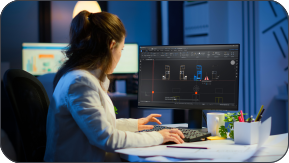
Dla profesjonalistów pracujących solo i freelancerów
Wybierz subskrypcję i wynajem BricsCAD jako elastyczny koszt operacyjny. Możesz też zdecydować się na jednorazową licencję wieczystą z usługą Maintenance, która zapewnia dożywotnią własność i niskie koszty utrzymania.

Dla zespołów i rozwijających się firm
Ustandaryzuj pracę wszystkich użytkowników na jednej platformie obsługującej format DWG i bezproblemowo przesyłaj pliki między współpracownikami.

Dla inżynierów i specjalistów
Dodaj zestawy narzędzi Mechanical i BIM do tego samego rdzenia DWG. Inteligentne zestawy 3D, BIM oparty na sztucznej inteligencji i bezpośrednie łączniki z systemami PLM i PDM.

Dla studentów i nauczycieli
Pobierz BricsCAD Ultimate za darmo z licencją akademicką i ucz się obsługi standardowego w branży formatu DWG.
30-dniowy okres próbny
Zacznij projektować
w BricsCAD już dziś!

Potrzebujesz więcej pomocy?
You can’t find what you’re looking for?
From the official BricsCAD logo set to the latest press releases, we are here to help.

Sprawdź Centrum pomocy BricsCAD
Masz konkretne pytania? Przeszukuj artykuły pomocy, samouczki i odnośniki do poleceń

Skontaktuj się z pomocą techniczną
Nie znalazłeś tego, czego szukałeś? Skontaktuj się z pomocą techniczną Bricsys

Skontaktuj się z Działem Sprzedaży
Pytania dotyczące programu BricsCAD lub poziomu licencji BricsCAD, która jest odpowiednia dla Twojej firmy? Jesteśmy tutaj, aby pomóc. Skontaktuj się z nami, a my odpowiemy tak szybko, jak to możliwe.
FAQ's
Często Zadawane Pytania
What's included in the BricsCAD free trial?
The trial gives you full access to BricsCAD Ultimate for 30 days, which means every feature of the lower editions - Lite, Pro, BIM and Mechanical - is unlocked too. No credit card required. After thirty days, you can purchase a license to keep using the full product (no reinstall needed; you simply enter your key in the License Manager).